The Spreadsheet That Runs Your Fleet Is Lying to You
Most rental fleets are managed from a spreadsheet with a tab per vehicle — or worse, from memory. It works until the day the insurance renewal that "someone was tracking" lapses, or a car goes out on a two-week rental three hundred kilometers past its service interval, or a customer disputes damage and the last inspection record is a photo somewhere on a former employee's phone.
Car rental fleet management software exists to close those gaps. But the category is confusing to shop for, because most products called "fleet management software" were built for trucking companies and delivery fleets — businesses whose drivers are employees, not customers. This guide covers what rental fleet management software actually needs to do, which features are essential, which are trucking imports you can ignore, and how to roll it out without disrupting a season.
What Fleet Management Software Does in a Rental Business
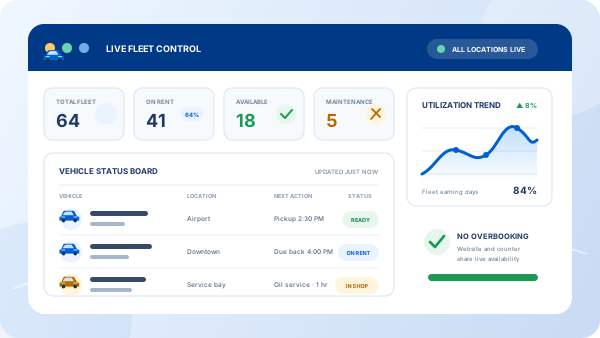
In a rental operation, fleet software has one organizing principle: every vehicle has exactly one live record. That record holds the paperwork (registration, insurance, permits, and their renewal dates), the maintenance history and upcoming service schedule, the inspection and damage log, current mileage, and what the vehicle has earned.
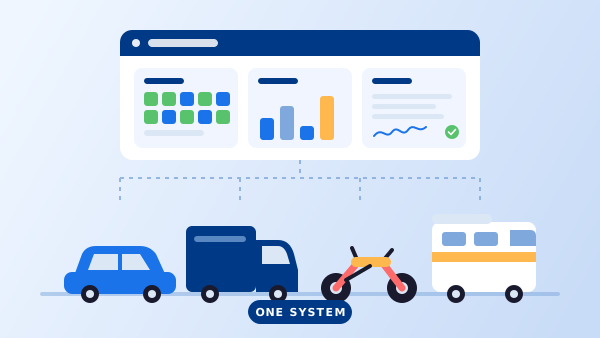
The part that makes it rental fleet software is the connection to bookings. The vehicle record and the availability calendar are the same system: put a car into maintenance and it leaves the bookable pool instantly; close a rental and the mileage and condition update the record. A standalone fleet tool can store the same data, but it can't stop your booking engine from renting out a car that's due at the workshop tomorrow — only an integrated system can. That connection is the core of our own fleet management module, and it's the first thing to test in any product you evaluate.
The Six Features That Matter (and Two That Don't)
1. Vehicle records with renewal alerts
Registration, insurance, permits, warranties — each with an expiry date the system watches for you. A lapsed document isn't an admin slip in this business; it's a car you legally can't rent, discovered at pickup.
2. Maintenance scheduling by date and mileage
Service intervals should trigger from whichever comes first — the calendar or the odometer — and rental fleets burn mileage unevenly, so date-only reminders miss the cars that matter most. We've covered the operational side of this in our guide to reducing vehicle downtime.
3. Automatic status blocking
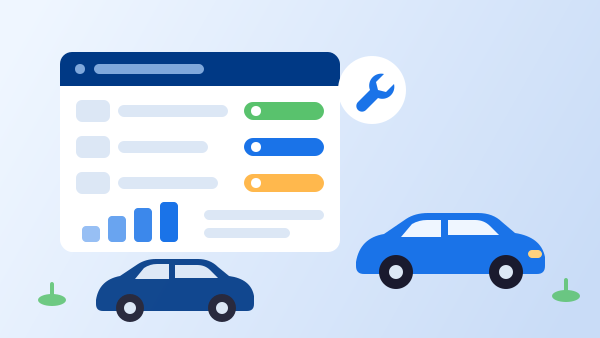
"In maintenance" must mean "not bookable" — enforced by the system, not by a sticky note on the key rack. This single feature eliminates the awkward call where you cancel a confirmed booking because the car is on a lift.
4. Digital check-out / check-in inspections
Photo-documented condition reports at both ends of every rental, stored against the vehicle and the contract. When a damage dispute comes, you have timestamped evidence instead of an argument. If you're still on paper forms, our comparison of digital versus paper inspections covers what changes.
5. Utilization and revenue-per-vehicle reporting
Which cars earn, which sit, which class sells out every weekend while another gathers dust — fleet software should answer this from real booking data, per vehicle and per class, so buy-and-sell decisions stop being guesses. There's more on acting on those numbers in our piece on improving fleet utilization.
6. Mileage and running-cost tracking
Odometer readings captured at every check-in, fuel and repair costs logged against the vehicle. Combined with earnings, this gives you the number that actually decides when to sell a car: what it costs to keep versus what it brings in.
And the two features you can skip: route optimization and driver scorecards. They headline most generic fleet products because trucking fleets need them — your customers drive wherever they want, and grading them is not your problem. Their presence usually signals a product designed for a different industry.
"A rental fleet isn't managed around drivers or routes — it's managed around reservations. Fleet software that doesn't talk to the booking calendar is a filing cabinet."
Standalone Fleet Tool or Rental Platform With Fleet Built In?
If you run a rental business, you already need a reservation system. That makes the real question not "which fleet tool?" but "one system or two?" A standalone fleet product means a second subscription, a second login, and — critically — a synchronization problem: its maintenance statuses don't block your bookings, and your bookings don't update its mileage.
An integrated platform keeps a single vehicle record that both sides share. For most independent and mid-size operators, that integration is worth more than any individual feature on a comparison chart, because the expensive failures — the double-booked workshop car, the stale odometer, the un-logged damage — all live in the gap between two systems. Standalone tools earn their keep mainly in edge cases: very large mixed fleets, or operations with an in-house workshop that needs deep parts-inventory management.
Rolling It Out in 5 Steps
-
1
Load the fleet with documents and dates
Enter each vehicle with its registration, insurance, and permit expiry dates, current odometer reading, and photos. This is the tedious afternoon that ends the spreadsheet era.
-
2
Set service intervals per vehicle or class
Define maintenance rules by months and kilometers — oil, tires, brakes, inspection — so the system starts counting down from day one.
-
3
Connect fleet status to the booking calendar
Verify that marking a car "in maintenance" removes it from the booking engine immediately, and that closing a rental writes the new mileage back. This is the integration test that matters.
-
4
Switch inspections to the app
Run check-out and check-in condition reports digitally with photos from the first day. The evidence trail only protects you if it exists for every rental, not just the ones that go wrong.
-
5
Review the utilization report monthly
Once a month, look at revenue and idle days per vehicle. The first review usually finds at least one car that should be sold and one class you should buy more of.
What Changes When the Fleet Is in the System
Maintenance stops colliding with bookings
Service happens in the gaps the calendar shows you, and cars in the workshop simply don't appear to customers. The emergency cancellation call disappears from your week.
Documents stop expiring silently
Renewal alerts surface weeks ahead, so insurance and registration become calendar items instead of discoveries.
Damage disputes end with a photo
Timestamped check-out and check-in reports, attached to the signed contract, turn the worst customer conversation into a short one.
You learn what each car actually earns
Revenue minus running costs, per vehicle — the report that turns fleet renewal from instinct into arithmetic.
The fleet scales without new headcount
Twenty vehicles managed by rules and alerts take less attention than eight managed by memory. Growth stops meaning chaos.
Fleet tracking rarely stays a standalone need for long. Most operators end up wanting reservations, agreements, and rates on the same records, which is what full vehicle rental software is for.
Frequently Asked Questions
It is software that tracks every vehicle in a rental fleet — registration and insurance documents, maintenance schedules, inspections, mileage, and earnings — and connects that record to the reservation calendar. When a car goes into service, the calendar blocks it automatically; when a booking ends, the mileage and condition are updated. The goal is one live record per vehicle instead of a spreadsheet that is out of date by Friday.
Generic fleet software is built around drivers you employ: routes, fuel cards, driver scorecards, hours of service. A rental fleet's 'drivers' are customers, so the software has to revolve around reservations instead — availability, check-out and check-in condition, damage attribution, and revenue per vehicle. If a product's demo leads with route optimization, it was built for trucking, not rental.
The pain arrives earlier than most operators expect — usually somewhere between five and fifteen vehicles, when renewal dates, oil changes, and damage disputes stop fitting in one person's memory. At that size a standalone fleet product is rarely justified, but a rental platform that includes fleet tracking with reservations costs no extra and removes the spreadsheet entirely.
Yes — this is one of the main reasons to connect fleet records to the booking calendar. When a vehicle hits a service threshold by date or mileage, or is marked in maintenance, the system takes it out of the bookable pool automatically, so the reservation engine simply never offers it. Systems that are separate from the booking calendar can only warn you; integrated ones can actually block it.
Standalone fleet products typically charge per vehicle per month, which adds up quickly on top of a booking system. Rental management platforms usually include fleet tracking in the subscription, with plans scaling by fleet size — commonly somewhere between $50 and a few hundred dollars per month depending on vehicles and features. For most operators the integrated route is cheaper than running two systems.