When Your Fleet Stops Being "Just Cars"
Most rental businesses do not start mixed. They start with sedans and SUVs, then a customer asks for a cargo van, then a moving-season pickup, then someone in town wants scooters for tourists, and one day there is a motorhome parked behind the office. Each addition made sense on its own. Together, they break the software.
The symptoms are familiar. The van is priced like a sedan because the system only knows day rates. The RV has a three-night minimum that lives in the manager's head, not in the booking rules. Motorcycle deposits are collected by hand because the deposit field is one number for the whole fleet. Generator hours are written on a clipboard. And when the owner asks which vehicle class actually makes money, nobody can answer without a spreadsheet.
A vehicle rental management system is built for that fleet. This guide covers what separates it from a car-only tool, the features that matter when vehicle classes have different rules, and how to move a mixed fleet onto one platform without stopping the counter.
What a Vehicle Rental Management System Does Differently
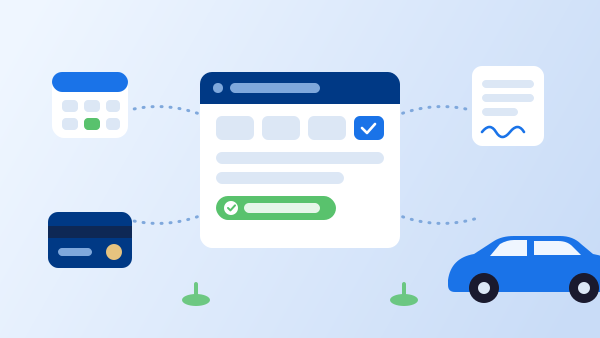
At the core, a vehicle rental management system does the same job as any car rental software: it holds availability, takes reservations, prices them, produces the rental agreement, records check-out and check-in, collects payment, and reports on the results. If you want the definitional version of that list, the post on what a car rental management system is covers it.
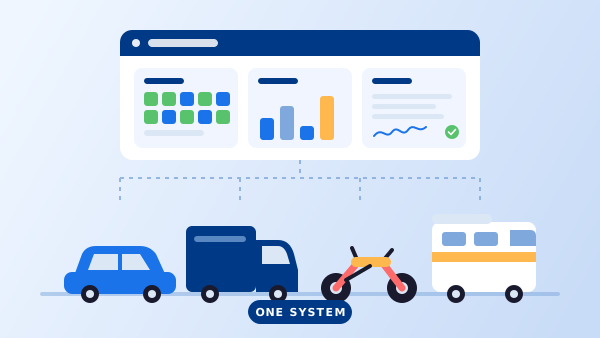
The difference is one design decision: whether vehicle class is a real object in the system or just a label on a car. In a car-only tool, every vehicle inherits the same rate structure, the same deposit, the same agreement template, and the same inspection form. In a vehicle rental management system, each class carries its own version of all four — and the calendar, the website booking engine, and the counter screen all respect them automatically.
That is what lets a 12-vehicle operator rent a compact car for a weekend, a 16-foot box truck for a move, and a Class C motorhome for a ten-night trip from the same screen, with the correct price, paperwork, and deposit on each one, and no manual overrides.
Six Features That Matter When the Fleet Is Mixed
1. Rate plans by vehicle class
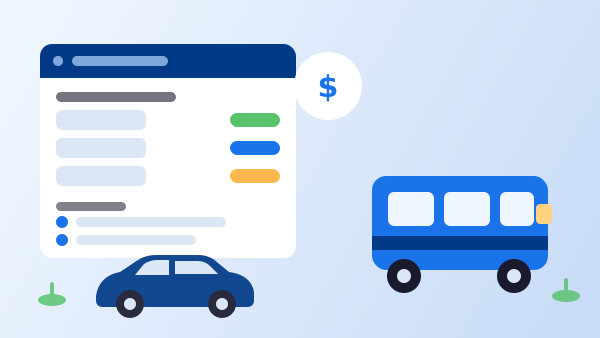
Cars are priced per day with a mileage allowance. RVs are priced per night, usually with a multi-night minimum, a mileage charge, and generator hours. Trucks may be priced per day plus a per-mile rate from the first mile. Motorcycles often carry a weekend surcharge. Your rate management needs to attach a distinct rate plan — with its own seasons, minimums, and extras — to each class, so staff never have to remember which rule applies.
2. Deposits and requirements by class
A $250 hold on a sedan, $1,000 on a motorhome, a minimum rider age and license endorsement on a motorcycle. These are class-level settings, not fleet-wide ones. The system should collect the right deposit at booking and refuse to confirm a reservation that fails a class requirement, online or at the counter.
3. Agreement templates and clauses per class
The rental agreement for an RV needs propane, waste-tank, and awning clauses that would be absurd on a compact car. A motorcycle agreement needs helmet and rider-liability language. A truck agreement needs load and clearance limits. One master template with class-specific sections — merged automatically from the reservation — keeps the contract correct without maintaining four documents by hand. If agreements are signed remotely, the e-signature workflow should pick the right template too.
4. Meters and usage tracking that fit the vehicle
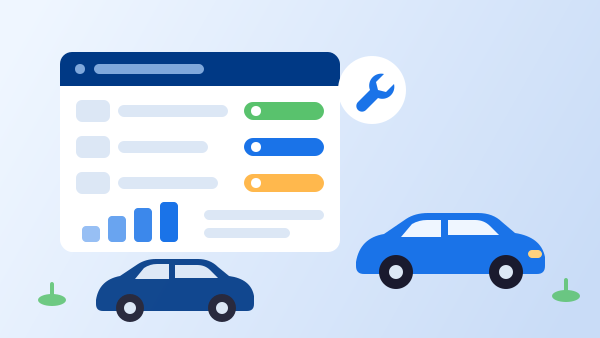
Odometer for cars and vans. Odometer plus generator hours for RVs. Engine hours on some specialty units. The check-out and check-in screens should ask for exactly the readings that class needs, calculate overage against the agreement's allowance, and feed the maintenance schedule — so the RV's service reminder fires on hours and the van's on miles.
5. Inspection checklists per class
A walk-around on a car is four sides and the interior. On a motorhome it is also the roof, the slide-outs, the appliances, and the tanks. On a motorcycle it is tires, chain, and fairings. Digital inspections with photos work best when the checklist is built for the vehicle in front of you, not adapted from a sedan form.
6. One calendar, one customer, one report
The point of consolidating is visibility. Every class on the same availability grid means a customer who rents a car in March and an RV in July has one record. It also means the utilization and revenue reports in your fleet management software can finally answer the question every mixed operator asks: which vehicle class is earning its parking space?
"A mixed fleet does not need more software. It needs one system that knows a motorhome is not a sedan."
How to Move a Mixed Fleet Onto One System in 5 Steps
-
1
Define your vehicle classes before you import a single unit
List every class you actually rent — economy, SUV, cargo van, pickup, scooter, motorcycle, Class B/C RV — and write down the rate model, deposit, minimum rental, and required documents for each. This list becomes the system's configuration.
-
2
Build one rate plan per class, with seasons
Enter the base rates, seasonal adjustments, minimum nights, and per-mile or per-hour charges for each class. Test one booking per class in each season and confirm the total matches what you quote today.
-
3
Set up agreement templates and inspection checklists
Start from your current car agreement and add class-specific sections rather than rewriting from scratch. Do the same for checklists. Have the counter staff who do the walk-arounds review them — they know what gets missed.
-
4
Import vehicles and open reservations class by class
Move cars first (the largest group and the simplest rules), then vans and trucks, then motorcycles, then RVs. Load future reservations into the new calendar as you go and retire each old calendar only once its class is fully in.
-
5
Publish every class to your website booking engine
Once rules are right internally, expose the classes on your website booking engine so customers can reserve an RV or a scooter online with the same requirements and deposits enforced automatically.
Where Each Vehicle Type Needs Special Handling
Some classes have enough of their own rules that they deserve their own notes. Car Rental Solutions publishes a dedicated page for each, and the short version is below.
Motorcycles and scooters. Rider requirements (license endorsement, minimum age, sometimes experience), helmet and gear add-ons, hourly and half-day rentals for tourist markets, and higher deposit ratios relative to vehicle value. Details on the motorcycle and scooter rental software page.
RVs and motorhomes. Per-night pricing with multi-night minimums, mileage and generator-hour charges, orientation appointments at pick-up, and a much longer inspection. The RV and motorhome rental software page and the buyer's guide on RV rental software go deeper.
Exotic and luxury cars. Large security deposits, driver vetting, strict mileage caps, and often a mandatory damage waiver — see exotic and luxury car rental software.
Vans and trucks. Per-mile pricing, load and equipment add-ons (dollies, blankets, liftgates), commercial-customer accounts, and one-way moves between locations. If you run more than one branch, the multi-location setup handles shared availability and inter-branch transfers.
What Changes When Every Class Lives in One System
Pricing stops depending on memory
The three-night RV minimum, the truck's per-mile rate, and the motorcycle weekend surcharge are enforced by the system for every booking, online or at the counter.
Deposits match the risk
Each class collects the hold it needs, automatically, instead of one fleet-wide number that is too high for the compact and too low for the motorhome.
Paperwork is right the first time
The agreement, the checklist, and the required documents are generated from the vehicle class, so the RV renter signs RV clauses and the rider signs rider clauses.
Double bookings have nowhere to hide
One availability calendar across all classes and locations means a unit cannot be reserved twice because it lived on two different calendars. (Related: how to prevent double bookings.)
You finally see profit by vehicle class
Utilization, revenue per unit, and maintenance cost roll up by class, so decisions to add a second motorhome or sell the scooters are based on numbers rather than gut feel.
Customers get one account
A renter who books a car in spring and a camper in summer has one login, one history, and one set of documents on file — and your marketing can see the whole relationship.
Frequently Asked Questions
A vehicle rental management system is software that runs the full rental cycle — availability, reservations, rates, agreements, check-out and check-in, payments, and reporting — for any type of rental vehicle, not only passenger cars. The distinction matters when a fleet mixes cars with vans, pickups, motorcycles, scooters, or RVs, because each class needs its own rate rules, agreement clauses, inspection checklist, and usage tracking inside the same calendar.
Most of the time the terms are used interchangeably, and the core functions are identical. The practical difference is whether the platform lets you define vehicle classes with their own pricing, deposits, documents, and meters. A system built only around cars will let you add a van as if it were a sedan; a true vehicle rental management system treats the van, the motorcycle, and the motorhome as different products with different rules.
Yes, if it supports per-class rate plans. Cars are usually priced per day with a mileage allowance; RVs are priced per night with mileage and generator-hour charges and a multi-night minimum; motorcycles often carry a rider-experience requirement and a higher deposit. The system should apply the right plan automatically from the vehicle class so counter staff never pick the wrong one.
No. Running a car system, an RV system, and a spreadsheet for the motorcycles means three calendars, three customer lists, and no single view of revenue or utilization. One vehicle rental management system with class-specific settings gives you a single reservation calendar, one customer record per renter, and one report across the whole fleet.
It records the relevant meter at check-out and check-in for each vehicle class — odometer for cars and vans, odometer plus generator hours for RVs, engine hours for some equipment — and calculates overage charges against the allowance on the agreement. Those readings also drive maintenance schedules, so a service reminder fires at the right interval for each vehicle type.