One Business, Five Disconnected Tools
Ask a rental operator what software runs their business and the honest answer is often a list: a booking form here, a spreadsheet for the fleet, Word for contracts, a card terminal for payments, and WhatsApp holding it all together. Each tool works. The business still leaks — because none of them know what the others are doing.
A car rental management system is the category of software built to replace that list with one platform. If you've searched the term and found everything from student database projects to trucking dashboards, this guide is the plain-English version: what a management system actually is, the five modules that define one, how it differs from a booking engine or reservation system, and how to tell a real one from a rebranded calendar.
The Definition, Without the Jargon
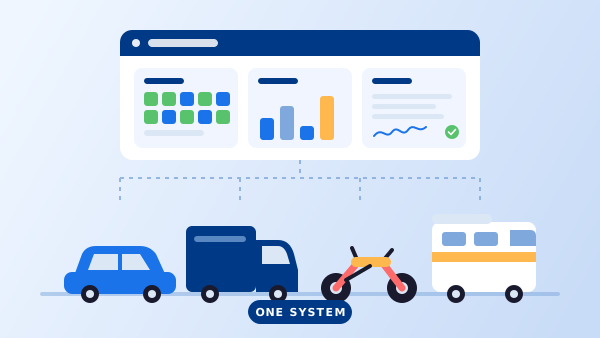
A car rental management system (you'll also see car rental management software — same thing) is a platform that runs the entire rental workflow on one shared database. The front of the business — the website where customers check availability and book — and the back of the business — fleet records, contracts, payments, reports — are modules of the same system rather than separate products.
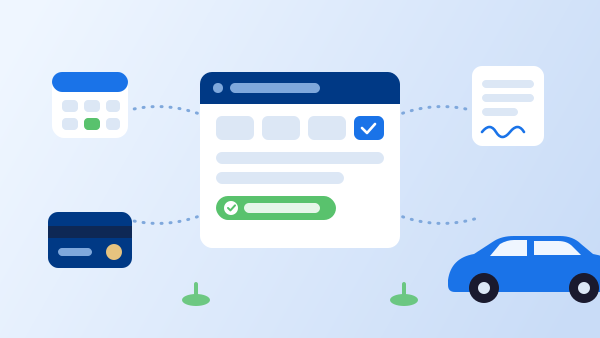
The shared database is the whole trick. When a customer books, the system blocks the car on every channel, creates the customer record, drafts the rental agreement, and takes the deposit — one event, recorded once, visible everywhere. The alternative isn't really "no system"; it's five systems named Excel, Word, email, a card reader, and someone's memory.
The Five Modules of a Complete System
1. Reservations and the availability calendar
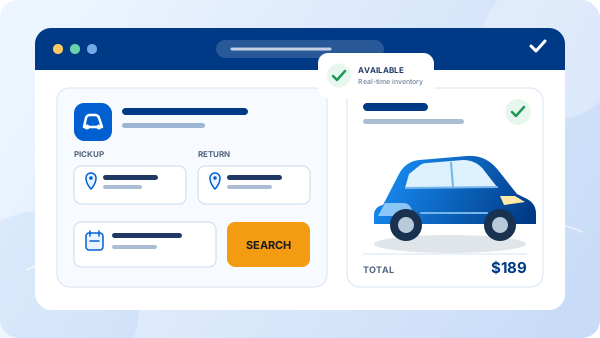
The booking engine on your website, walk-in and phone bookings at the counter, and one live calendar they all share. Overlapping bookings are refused by the software, not caught by luck. This module is what people mean by a car rental reservation system — in a management system, it's the front door rather than the whole house.
2. Fleet management
A record per vehicle: registration and insurance renewals, maintenance schedules that block the car from being booked, inspection photos, mileage, and what each car earns.
3. Rental agreements and e-signature
Contracts generated from booking data and signed electronically before or at pickup — no re-typing names, no filing cabinet, and a searchable record when a dispute or a fine arrives months later.
4. Payments, deposits, and rates
Online deposits at booking, security holds at pickup, and a rate engine that knows your seasons, weekends, and extras — so every quote is calculated, not remembered.
5. Customers and reporting
Rental history, documents, and blacklists per customer; revenue, utilization, and outstanding-balance reports per business. This is the module that turns a stack of transactions into decisions.
A complete platform bundles all five — you can see how they fit together on our features overview. Products that offer only module one with a coat of paint are booking widgets, not management systems, and the difference shows up the first time a car needs an oil change mid-season.
"The test of a management system is simple: enter a booking, and count how many other things you no longer have to do."
Management System vs. Booking Engine vs. Reservation System
The three terms get used loosely, and comparison shopping is easier once they're separated. A booking engine is the widget on a website that takes reservations — the storefront. A reservation system is the booking engine plus the calendar and booking records behind it — the front office. A management system is all of that plus the back office: fleet, contracts, payments, customers, and reports.
The practical consequence: if you buy only a booking engine, the rest of the business still lives in spreadsheets, and you'll re-type every booking into them. Most operators who start with a standalone booking tool end up migrating within a couple of seasons — which is why it's worth knowing what the full system looks like before choosing the first piece. Our guide on how to choose car rental software walks through that evaluation in detail.
Two more things the term does not mean, since search results mix them in freely. It isn't a consumer app for renting a car — that's the customer's side of the counter, not yours. And it isn't the "car rental management system project" of computer-science coursework: those are database exercises, not products with support, payment processing, or an uptime commitment. If a "free download" link leads to a ZIP of PHP files, you've found homework, not software your business can run on.
How It Works: One Rental, Start to Finish
-
1
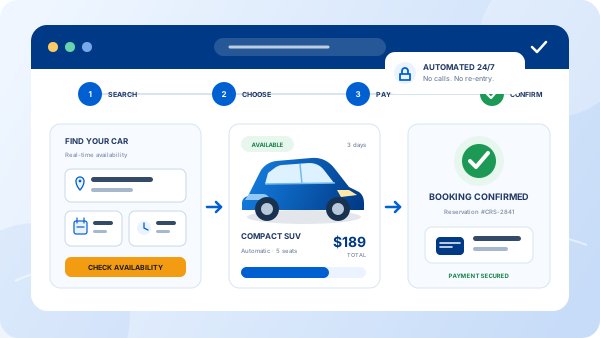
The customer books online
They pick dates and a vehicle on your website, pay a deposit, and get an instant confirmation. The calendar blocks the car on every channel at the same moment.
-
2
The system prepares the paperwork
The rental agreement is generated from the booking data and sent for e-signature — the customer signs from their phone before they ever reach the counter.
-
3
Pickup: inspection and handover
A digital check-out inspection records the car's condition with photos, the security deposit is taken, and the keys change hands — minutes, not a clipboard session.
-
4
Return: check-in and closure
The check-in inspection compares condition, the odometer updates the vehicle record, the deposit is released or adjusted, and the booking closes with every document attached.
-
5
The data becomes reporting
The rental lands in revenue, utilization, and vehicle-earnings reports automatically. Nobody compiles anything; the numbers are a by-product of the workflow.
Why Operators Move to One System
Data is entered once
The booking creates the contract, the contract knows the customer, the return updates the car. The re-typing — and the errors it breeds — disappears.
Double bookings become impossible
One calendar, enforced by software, across web, phone, and walk-in. Not "rare" — structurally impossible.
The business runs from anywhere
Web-based systems put the counter, the office, and the parking lot on the same screen. The owner on vacation sees the same live calendar as the agent at the desk.
Compliance takes care of itself
Signed contracts, inspection photos, and payment records are attached to every rental automatically — retrievable in seconds when an insurer, a court, or a chargeback asks.
Growth doesn't multiply the admin
Ten more cars or a second location is more rows in the same system, not a new stack of tools. The system that runs five cars runs fifty.
Frequently Asked Questions
A car rental management system is software that runs the whole rental operation from one place: online reservations and the availability calendar, vehicle and fleet records, rental agreements and e-signatures, payments and deposits, and reporting. Instead of separate tools for bookings, contracts, and fleet tracking, every module reads and writes the same data, so a booking automatically blocks the car, generates the contract, and records the payment.
A reservation system handles the front of the business: availability search, booking, and confirmation. A management system includes that and adds the back office — fleet maintenance and documents, rental agreements, payments and deposits, customer history, and reports. Every management system contains a reservation system, but not every reservation tool grows into a management system.
In practice, yes — vendors and operators use 'system', 'software', and 'platform' interchangeably for the same category of product. 'System' tends to appear when people think about the whole workflow, and 'software' when they think about the product they buy, but the feature set being described is the same.
Small fleets arguably benefit most, because one person is doing every job the system automates. The threshold is not fleet size but coordination pain: when bookings, contracts, and vehicle records live in different places and errors start slipping between them, a management system replaces that juggling with one source of truth. Cloud pricing has made entry plans accessible to fleets of five to ten cars.
Modern systems are overwhelmingly web-based: you log in from a browser at the counter, at home, or on a phone in the parking lot, and the vendor handles servers, backups, and updates. Installed desktop systems still exist but tie the business to one computer and make the online booking connection harder, which defeats much of the point.