The PC in the Back Office
Plenty of rental businesses are still run from one computer. The rental program is installed on it, the database sits on its hard drive, and everything important — every reservation, every customer, every contract — exists in one place that nobody is allowed to turn off.
It works until it doesn't. The owner cannot check tomorrow's pickups from home. The second branch phones the first to ask if a car is free. A backup is "on a USB stick somewhere." The version is four releases behind because updating means someone coming to the office. And when that machine finally dies on a Friday in high season, the business does not lose a computer — it loses its records.
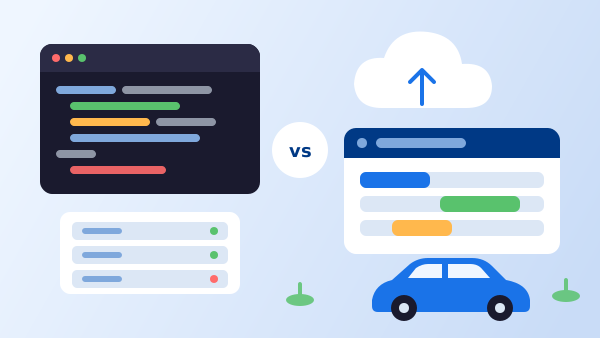
Web-based rental management software changes that arrangement: the system runs on a server and staff reach it through a browser. This guide covers what that actually changes day to day, the three objections that deserve a real answer, and how to move across without closing the counter.
What "Web-Based" Actually Means
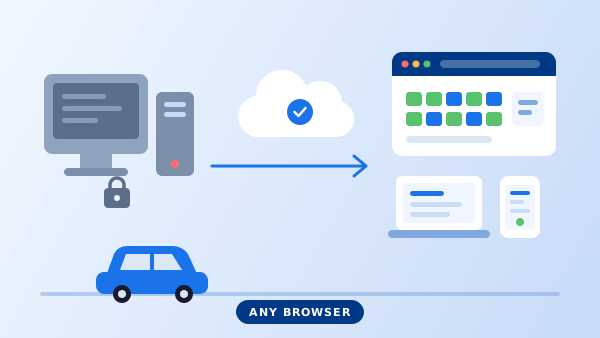
Web-based, cloud-based, and online car rental software all describe the same arrangement: the application and the database run on a server, and each user works through a browser over an encrypted connection. Nothing is installed on the counter PC beyond the browser itself.
The important consequence is not the browser. It is that there is one copy of the data. In an installed system, the database lives on a specific machine; anyone who needs it either sits at that machine or works from an export that starts drifting the moment it is made. In a web-based system, the counter, the manager at home, the second branch, and your public website booking engine all read and write the same records in the same moment.
That single fact is where most of the day-to-day differences come from. It is also worth separating from a related question — whether you host the software yourself or a vendor does — which the comparison of open source versus cloud rental software covers in cost terms. A system can be web-based and self-hosted. Most operators simply have no reason to run their own server.
Six Things That Change Day to Day
1. Where you can work from
Checking tomorrow's departures from home on a Sunday, approving a rate change from an airport, letting a delivery driver complete a check-out on a tablet at the customer's door. None of this requires new software — it is the same system reached from a different screen.
2. How a second location behaves
Installed systems make branches expensive: each needs its own copy, and reconciling them becomes someone's job. Web-based systems make a second branch a settings change. Shared availability, inter-branch transfers, and one-way rentals work because there is nothing to reconcile — see multi-location rental software for how that is set up.
3. Who is responsible for backups
On a desktop system, you are — and most small operators are not doing it as often as they think. With a hosted system the provider runs backups continuously, which moves your job from performing backups to verifying that you can get your data out when you want it.
4. How updates reach you
New tax rules, a payment provider change, a browser security fix. On installed software each of those is a scheduled visit and a version number to track. On web-based software they are already live the next time someone signs in.
5. What online booking costs to build
A desktop system cannot show real-time availability to the public without a synchronising bridge between the office database and the website — the fragile piece that causes double bookings when it lags. When the system already runs on the web, the public booking engine reads the same availability the counter sees.
6. What happens when hardware fails
A counter PC that dies is an inconvenience: sign in on another machine and carry on. On an installed system, the same event is a recovery operation whose success depends entirely on the age of your last backup.
"An installed system fails as data loss. A web-based system fails as an hour offline. Those are not the same risk."
How to Migrate Without Closing the Counter
-
1
Decide what actually needs to move
Vehicles, active and future reservations, and customers with open balances or repeat history. Years of closed rentals usually stay in the old system as a read-only archive — keep the machine or a database copy, and do not spend weeks cleaning records you will rarely open.
-
2
Export and clean before you import
Pull vehicles, customers, and reservations to CSV. Fix the obvious problems in the spreadsheet — duplicate customers, retired vehicles still marked active, inconsistent class names — because importing them means fixing them twice.
-
3
Rebuild rates and rules deliberately
Rate plans, seasons, deposits, add-ons, and tax settings are worth re-entering rather than importing. It is the one chance you get to drop the workarounds that accumulated in the old system. Test each plan with a sample booking before going further.
-
4
Run both systems for one week
Take new reservations in the new system while the old one stays available for lookups. Pick a low-season week if you can. Counter staff get to learn the screens with a safety net rather than in front of a queue.
-
5
Switch the website last
Once internal operations are stable, point your public booking to the new system. Doing this first is the common mistake: it puts customer-facing availability on a configuration nobody has used yet.
Three Objections Worth Taking Seriously
"If the internet goes down, I am out of business"
This is the real trade-off and it deserves a plan rather than a dismissal. A rental counter uses very little bandwidth, so a phone hotspot covers most outages, and a printed list of the day's pickups and returns covers the rest. Weigh it against the alternative failure: an hour without access is recoverable, a failed hard drive with last month's backup is not.
"I want my data on my own premises"
A reasonable instinct, but check what it buys you. Data on your premises means your responsibility for backups, patching, physical security, and recovery. If the requirement is regulatory rather than emotional, ask providers where data is hosted and whether a specific region is available — that is often the actual answer. Either way, insist on being able to export your complete dataset yourself, whenever you want.
"A subscription costs more than buying it once"
Over a long enough period, sometimes. But the one-time licence is rarely the whole cost: the server or PC, backups, the support contract, paid version upgrades, and the hours someone spends maintaining it are part of the comparison. The breakdown in what car rental software costs covers how to build that comparison honestly.
What Operators Notice First
The phone calls between branches stop
Anyone can see what is available anywhere, so nobody rings to ask.
The owner can work from anywhere
Yesterday's revenue, today's returns, and tomorrow's pickups are visible without driving to the office.
New staff are faster to train
A browser interface is familiar territory, and a trainee can practise on their own login without touching the machine that runs the business.
Online bookings become straightforward
Publishing live availability stops being an integration project, which is usually the point at which direct bookings start growing.
The "who has the latest version" question disappears
There is one version and one dataset. Nobody is working from last week's export.
Hardware becomes replaceable
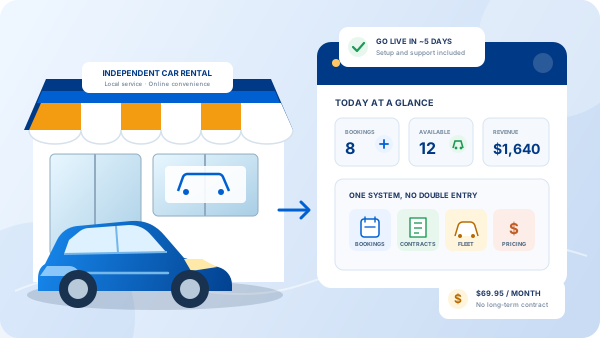
Any laptop that runs a browser can be a counter terminal, which quietly removes a category of emergency from your year. If you are weighing this alongside other criteria, the broader car rental software overview puts it in context.
Frequently Asked Questions
Web-based car rental software runs on a server and is used through a browser, so staff sign in from any computer, tablet, or phone instead of using one machine with the program installed on it. The rental data lives in one place rather than in a file on an office PC. In practice the terms web-based, cloud-based, and online car rental software all describe the same arrangement; the meaningful question is whether there is a single shared source of truth or a copy of the database on each machine.
You lose access until connectivity returns, which is the honest trade-off. Most operators handle it with a phone hotspot as a backup connection — a rental counter needs very little bandwidth — and a printed availability list for the day as a paper fallback. It is worth weighing against the desktop failure mode: when the one PC holding the database fails, you do not lose access for an hour, you lose the data until someone restores a backup.
It depends on the provider, so ask concrete questions rather than accepting reassurance: where is the data hosted, how often is it backed up, how quickly can it be restored, is it encrypted in transit and at rest, who on the provider's side can see it, and can you export your full dataset yourself at any time. A provider that answers those precisely is a better sign than any certification logo on a homepage.
No server, and far less IT support. There is nothing to install, patch, or back up at your office, and updates arrive for everyone at once rather than needing a visit per machine. What you still need is decent internet, a browser kept current, and a printer or scanner that works with the browser for agreements and licence scans.
Usually yes. Vehicles, customers, and future reservations are the three sets that matter, and most desktop systems can export them to CSV or Excel. Historical closed rentals are often left in the old system as a read-only archive rather than migrated, because cleaning years of inconsistent records costs more than it returns. Agree what is migrating before you start, and validate a sample of records after import.