What You Can Build With AI and the API
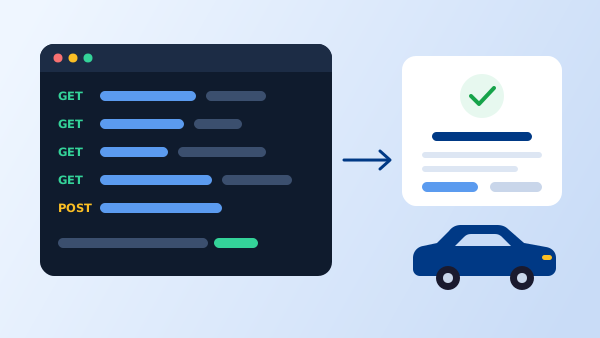
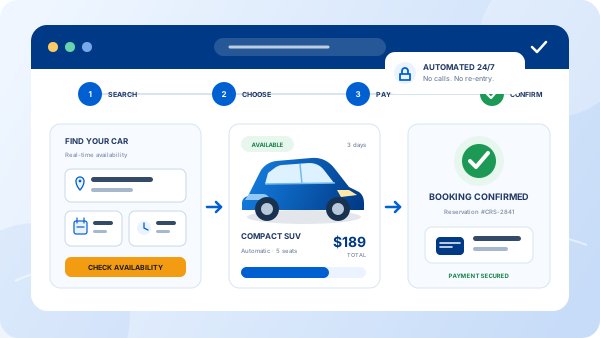
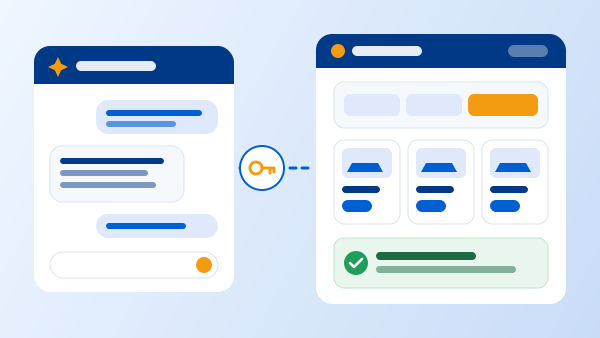
You no longer need a web developer to put live reservations on your website. With an API key from your Car Rental Solutions control panel, an AI assistant such as Claude can design a complete rental website or a single booking page, connect it to your fleet, and tell you how to publish it. Customers see your real availability and prices, and every reservation lands in the same control panel as your counter and phone bookings.
Our own live booking demo, Demo Auto Rental, was built this way: designed with AI and running on the Car Rental Solutions API. Make a test reservation there to see the result before you build yours.
One API Key per Website or Landing Page
Keys are created in your control panel under Integrations → API Keys. Each key has a name and an affiliate. Create one for every place you take bookings: your main website, a second domain, a city landing page or a campaign page. Each key belongs to your account, so every site shows the same fleet, rates and availability, and you can delete one key without touching the others.
| Where you take bookings | Example key name |
|---|---|
| Main website | Main website |
| Second domain or brand | Airport site |
| City or campaign landing page | Miami landing page |
| Partner page (hotel, tour operator) | Hotel partner |
Build Your Booking Page in Six Steps
1. Create an API key
Log in to your control panel, open Integrations → API Keys, click Add Key, name it after the site and choose the affiliate. Copy the key and keep it somewhere private. You will add it to your host in step 4, not to the AI chat.
2. Give the AI the API spec
The AI needs to know how the API works. Download the OpenAPI document from the API reference and attach it to your chat. Attaching the file works better than pasting a link, because many AI tools can't open web pages on their own. Developers can read the same flow in our booking API quickstart.
3. Ask for the page
Use the prompt below. Fill in your agency name, domain, languages, colors and host, and attach your logo. Ask for changes in plain language until it looks right: “make the search form bigger”, “add our phone number to the header”, “show three featured cars on the home page”.
4. Add the key to your host
When the AI hands you the files, add your API key as an environment variable named CRS_API_KEY in your host’s settings. The page’s server function reads it from there, so the key never appears in the website code.
5. Test real bookings
Before you go live, book a round trip, a one-way trip, a young driver and a rental with extras. Check that each reservation appears in your control panel with the right vehicle, dates and price, then cancel the tests.
6. Publish and track
Point your domain to the new page and set up conversion tracking so you know which pages and ads bring bookings. Our guide to conversion tracking for rental websites covers the setup.
The Prompt to Copy
Replace everything in [brackets]. It includes the rules that keep your prices accurate and your key private, so the AI builds it right the first time.
Prompt for Claude or another AI assistant
Build a car rental booking page for my agency, [AGENCY NAME], at [DOMAIN].

Booking data comes from the Car Rental Solutions API. The OpenAPI spec is attached
(openapi v1.json). Endpoints live under https://cp.carrentalsolutions.com/api/v1/.

Requirements:
- Booking flow: search form (pickup location, drop-off location, dates and times,
  driver age group) -> vehicle list with live prices -> vehicle page with extras and
  the itemized quote -> customer details -> confirmation page.
- Keep the API key on the server. Create a small server-side proxy (a serverless
  function) that reads the key from an environment variable named CRS_API_KEY and
  adds "Authorization: Bearer" to each request. Never put the key in browser code.
- Only offer the drop-off locations listed in each location's "dropoffs".
- Show the quote line by line exactly as the API returns it. Don't recalculate totals.
- Send the pricingToken back with the exact same vehicle, locations, start, end,
  age group and quote lines. If anything changes, request a new quote first.
- Show any _errors and _warnings to the customer.
- Languages: [English and Spanish]. Brand colors: [COLORS]. Logo: [attached].
- Mobile-first, fast, accessible. Tell me how to deploy it on [HOST].Where to Host It
You can host the page anywhere that runs a small server-side function next to your pages, which is what keeps the API key private. Common choices:
| Host | Where the key goes |
|---|---|
| Cloudflare Pages or Workers | A Pages Function or Worker, with the key saved as a secret |
| Netlify | A Netlify Function, with the key as an environment variable |
| Vercel | A serverless API route, with the key as an environment variable |
| Your current web host | A small PHP or Node.js script outside the public folder, if your plan supports it |
Tell the AI which host you use and it will write the function for that host. Simple file-only hosting with no server code is not enough on its own. If that's all you have, ask us about a website with the booking engine built in instead, or read how the reservation system works on any website or domain.
Keep the API Key Safe
- Don’t paste the key into the chat. The prompt uses a placeholder. You add the real key at your host.
- Never put the key in browser code. Anyone can read JavaScript that runs in the browser. The browser calls your server function, and the function adds the key.
- Use one key per site. If a site is retired or a key is exposed, delete that key in Integrations and create a new one. Your other sites keep working.
- Check new pages in your control panel. A test booking that shows up there is the proof the page is connected correctly.
Car Rental Solutions is also preparing a copy-and-paste embed code for agencies that prefer not to build a page at all. Until then, an AI-built page and an API key are the fastest way to add live reservations to any domain.
Frequently Asked Questions
No. You describe the page you want, and the AI writes the code and explains how to publish it. You will need to create an API key, add it to your host as an environment variable and test a few bookings.
Yes. Any AI assistant that can write web code can follow the same prompt. Attach the OpenAPI spec so it uses the real endpoints and field names.
Yes. Create a separate API key in Integrations for each website, domain or landing page. They all share your fleet, rates and availability, and each key can be deleted on its own.
You don't need to. Use a placeholder in the chat and add the real key as an environment variable at your host. Never put the key in browser code, and delete and replace any key that has been exposed.
Reservations made on the page are created through the API and appear in your Car Rental Solutions control panel, on the same calendar as your counter and phone bookings.