
Availability & Fleet Activity
Make faster decisions with real-time availability views—see utilization by vehicle class, spot gaps in activity, and forecast inventory based on reservations and open rental agreements.
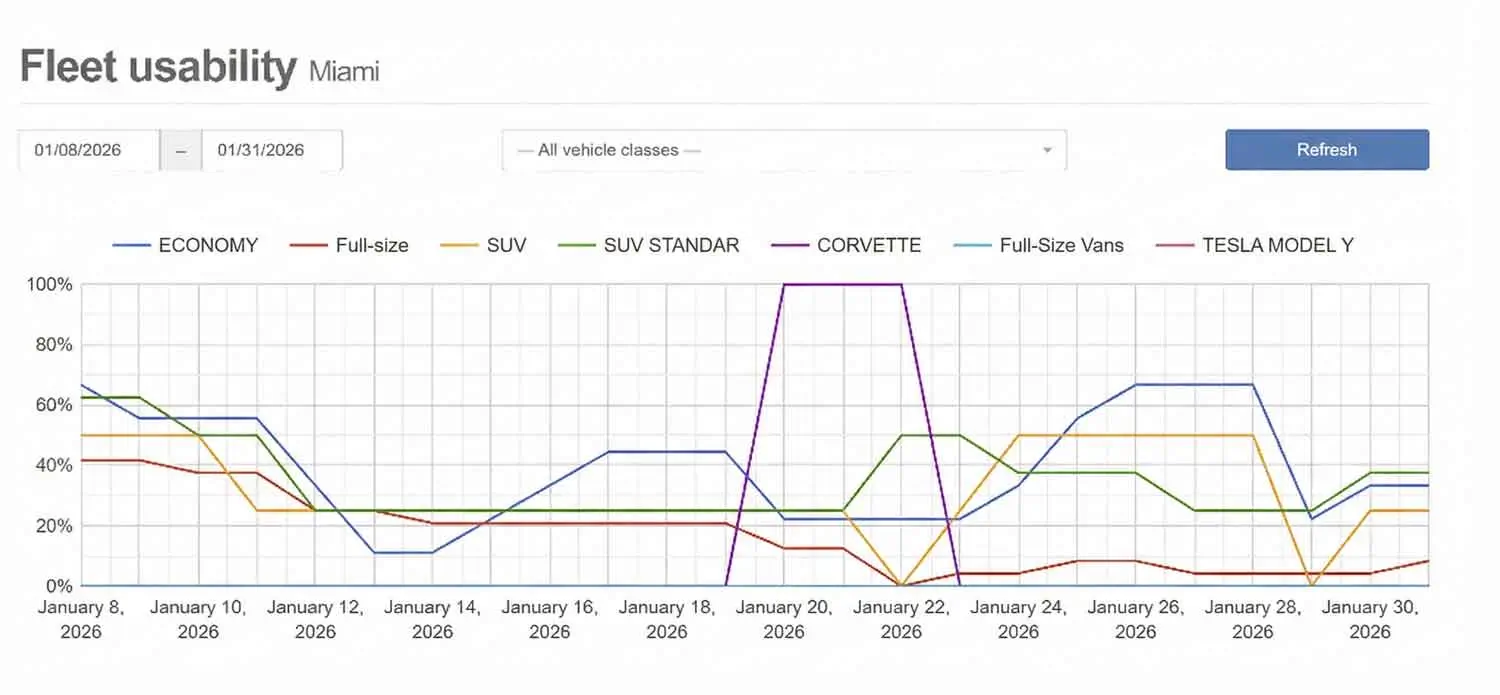
Fleet Usability
Visualize utilization by vehicle class over time. Quickly identify which classes are underbooked (opportunity) and which are near capacity (pricing and inventory alerts).
- Filter by vehicle class for clean, actionable insights.
- Spot underutilized periods to run targeted promotions.
- Use trend signals to guide buy/sell decisions.
Tip: Pair usability trends with your pricing rules to boost revenue during slower dates.
Fleet Activity Availability
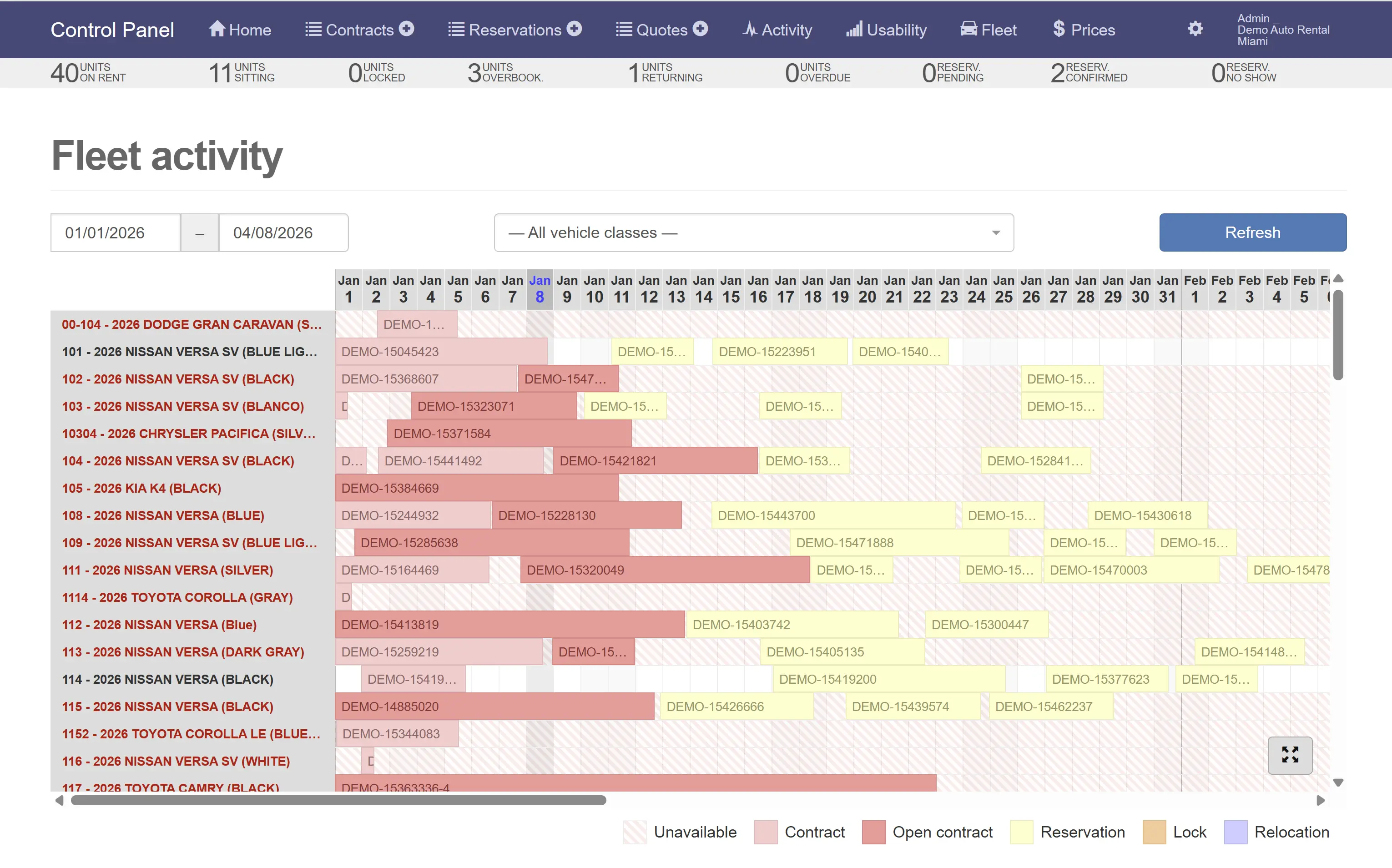
Track what’s happening day-by-day across the fleet: contracts, reservations, holds/locks, relocations, and unavailable units. This view helps prevent conflicts and keeps dispatch organized.
- See overlapping rentals and upcoming returns at a glance.
- Filter by vehicle class to troubleshoot availability faster.
- Reduce double-bookings by spotting conflicts early.
Reservations Forecast Availability
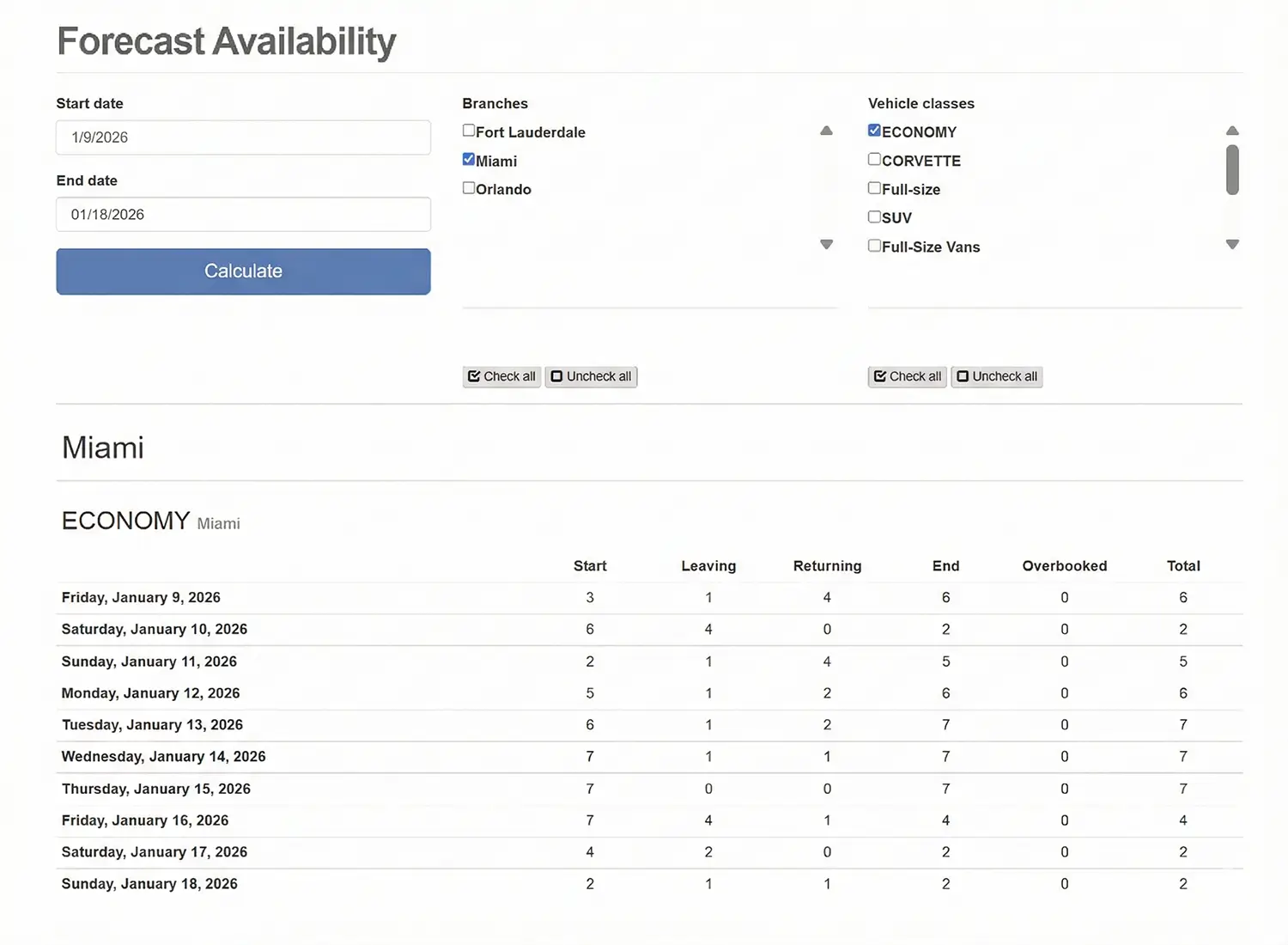
Forecast inventory by date range, branch, and vehicle class. Great for planning pricing, managing allocation between locations, and validating inventory before running promotions.
- Select branches and vehicle classes to calculate forward availability.
- Identify constrained dates and adjust pricing accordingly.
- Reduce operational surprises with a clear forecast table.
Availability FAQ
Availability is automatically tracked across reservations and open rental agreements—so you can avoid overbooking and make faster decisions.
- Does the system prevent overbooking?
- Yes. Car Rental Solutions automatically tracks availability across reservations and open rental agreements, so you always know what’s truly available and avoid double-bookings.
- How does Availability & Fleet Activity work?
- Choose a start and end date, then select all vehicle classes or filter to a single category. The system displays activity and availability so you can spot gaps, conflicts, and opportunities immediately.
- What does Fleet Activity show?
- Fleet Activity shows what’s happening day-by-day across your fleet—contracts, reservations, locked units, relocations, and unavailable vehicles—helping dispatch stay organized and preventing conflicts.
- Can I see units under contract and confirmed reservations?
- Yes. You can view available units, units under contract, and confirmed reservations in real time to keep scheduling accurate.
- Can I lock units on a reservation or relocate vehicles between branches?
- Yes. You can lock units to a reservation and relocate vehicles to other branches to balance inventory and meet demand.
- How does reservation management help?
- Reservation management supports online and offline bookings while automating scheduling rules—reducing manual work, preventing double-bookings, and keeping availability accurate.
- How do these views help me make faster decisions?
- You can see utilization by vehicle class, spot gaps in activity, and forecast inventory based on reservations and open rental agreements—so you can adjust pricing and allocation with confidence.
Ready to see availability in action?
Get a quick walkthrough or start a 14-day free trial to explore Fleet Activity, usability, and forecast availability.