Car Rental Software Demo: The Short Version
Every demo you sit through will look good. The salesperson drives, the sample fleet is tidy, the booking they create takes four clicks and goes perfectly. Three months after you sign, you find out what happens when a customer extends a rental by two days mid-hire and the rate has to change — and nobody showed you that screen because nobody asked.
A car rental software demo is only useful if you control what gets shown. Send your own rates and bookings ahead of time, make them run your awkward cases, and ask the questions a scripted walkthrough is built to skip: what this costs in year two, what happens to your data if you leave, and what your staff do when the internet drops on a Saturday.
Below are twelve questions worth asking, grouped by what they protect you from. Several of them are uncomfortable for any vendor to answer, including us. That is rather the point — the answers you have to push for are the ones that tell you something.
Before the Demo: Two Things to Send Them
The single change that improves a demo most costs you ten minutes the day before.
Send your rate table. Not a simplified version — the real one, with the weekend rule, the weekly discount, and whatever you do in high season. Rate logic is where generic rental software quietly fails car rental, and it is far better to find that out before you sign than during setup.
Send three real bookings. One straightforward. One that was modified after it started — extended, swapped to a different vehicle, returned early. One that ended in a damage claim. Ask them to build all three during the demo. A platform that handles your messiest booking is the only evidence that means anything; the clean one proves nothing, because everything handles the clean one.
"Any software can take a booking. What separates them is what happens when that booking changes at 4pm on a Friday."
The 12 Questions
Your data, and your way out
1. Can I export everything — bookings, customers, vehicles, agreements — and in what format? "Yes, we can provide an export" is not an answer. Ask which file formats, whether it includes signed agreement PDFs and inspection photos, and whether you can do it yourself or have to request it.
2. Who owns the data, and what happens to it if I cancel? You want the answer in the contract, not the demo: that the data is yours, that you can take it with you, and how long they keep it after you go.
3. What won't transfer from my current system? Vehicles, customers and rates usually migrate cleanly. Historical bookings, scanned agreements and photos often do not. A vendor who says "everything transfers" either has not looked at your data or is guessing.
What it actually costs
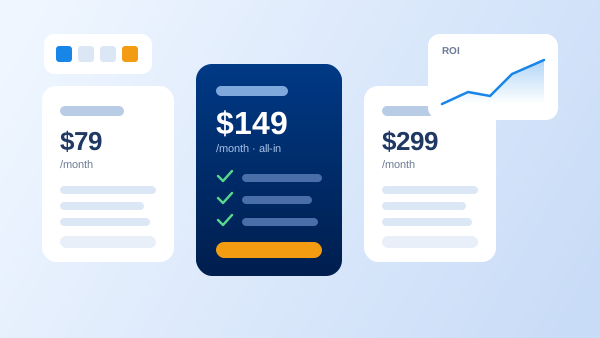
4. What is the total first-year cost, including setup, training and migration? The monthly price is the number vendors lead with. Setup and migration fees are the ones that turn a $70 plan into a four-figure first year. Ask for the total in writing.
5. What changes in year two? Introductory pricing, a first-year discount, or a promotional rate that renews higher are all normal. Not mentioning them is also normal. Ask directly.
6. What is charged per location, per user, per vehicle, or per booking? Then ask the follow-up that matters: what happens to my bill when I add a second location, or ten cars for the summer? Seasonal fleets get caught by per-vehicle pricing more than anything else. Our guide to what car rental software costs covers the structures you will run into.
The counter, on a Saturday
7. Show me a walk-in rental, start to finish, on the screen my staff will actually use. Not the polished admin dashboard — the counter screen. Watch how many fields have to be typed by hand.
8. Show me a booking modified after it starts. The extension, the vehicle swap, the early return. This is the single most revealing five minutes of any demo, and the part most likely to be skipped if you do not ask.
9. How many clicks from "the phone rings" to "car assigned"? Count them yourself. A system that is four clicks slower per booking costs real time across a busy Saturday, and your staff will route around anything that feels heavy.
When things go wrong
10. What happens when the internet drops at the counter? Most web-based systems stop, and that is an acceptable answer if it is an honest one. What you need to know is the workaround, and how the rental gets back into the system afterwards.
11. Who do I reach at 7pm on a Saturday, and what is the real response time? Ask for support hours in the local time zone and what counts as urgent. "24/7 support" that means a ticket form is not the same as a phone number.
12. Show me a damage claim end to end. Check-out photos, signed agreement, check-in photos and the invoice, all on one record, retrieved six weeks later. This is where digital inspections either pay for themselves or turn out to be a photo gallery with no connection to the rental.
Five Red Flags in a Demo
Pricing that will not go in writing
"It depends on your setup" is fair as an opener and a problem as a final answer. If you cannot get a number for your fleet size and locations before you commit, assume it is negotiable in the wrong direction.
The demo runs only on their data
Sample fleets are always tidy. If they will not load your rates or your bookings, you are watching a video, not a demo.
They will not let you drive
Ask to take the mouse and create a booking yourself. Interfaces that feel effortless when an expert uses them can be quite different in your hands, and that is what your staff will live with.
Every answer is yes
No platform does everything. A vendor who says yes to all twelve of these without a single "not the way you are describing it" is either not listening or planning to say the rest later. Honest limitations early beat surprises in month three.
No named support hours
Vague support commitments become specific at the worst possible moment. Get the hours, the channel, and the response target before you sign.
After the Demo: Comparing Fairly
Write your answers down the same day. Two demos a week apart blur together fast, and the one you saw most recently always feels best.
Score each vendor on the same twelve questions rather than on overall impression, and weight them by what your operation actually does. If you run one location and never modify bookings mid-rental, question 8 matters less to you than it does to a two-branch operator. If your counter loses connectivity regularly, question 10 outranks almost everything else.
And stay open to the answer being "none of them, yet." If you are still deciding whether you need a system at all, car rental software versus Excel is the question to settle first — a demo is a poor way to answer it, because every demo makes the case for buying. For smaller operations, software built for small rental businesses is the right shortlist to start from, and how to choose car rental software covers the features to weigh once the shortlist exists.
Frequently Asked Questions
Ask about the three things a scripted demo skips: what your total cost looks like in year two, what happens to your data if you leave, and how the software handles a rental that changes after it starts. Then insist on seeing a walk-in rental and a mid-rental modification performed on the screen your counter staff will actually use.
Thirty to sixty minutes is enough if you send your own rates and a few real bookings beforehand and keep control of what gets shown. A demo that runs two hours on the vendor's sample data has usually covered features rather than your operation.
Yes. Send your rate table, including the seasonal and weekly rules, plus three real bookings — one straightforward, one that was modified mid-rental, and one that ended in a damage claim. Software that handles your messiest booking is the only evidence worth having.
Pricing that will not be quoted in writing, a refusal to let you drive the screen yourself, an answer of yes to every capability question, no named support hours, and a demo run entirely on the vendor's sample data rather than yours.
Some vendors offer a free trial or a recorded walkthrough, which is useful for a first look at the interface. For pricing at your fleet size, migration from your current system, and anything specific to your locations, you will still need a live conversation.
Two or three is usually right. Fewer gives you no basis for comparison; more and the demos blur together. Ask all of them the same questions in the same order and write the answers down the same day, while you can still tell them apart.