The Booking Wall Every Small Operator Hits
A small rental business runs fine on phone calls and a notebook — right up until it doesn't. The wall usually appears the same way: a customer calls while you're at the counter with someone else, a WhatsApp reservation never makes it onto the calendar, or two people show up for the same car on the same morning.
Booking software exists to remove exactly that wall. But most comparison lists are written for hotels or salons, and most "small business" plans are enterprise products with a discount sticker. This guide covers what booking software should do for a small rental operation specifically — which features earn their place, which are noise at your size, and how to go from notebook to first online booking in five steps.
What Booking Software Actually Does for a Small Business
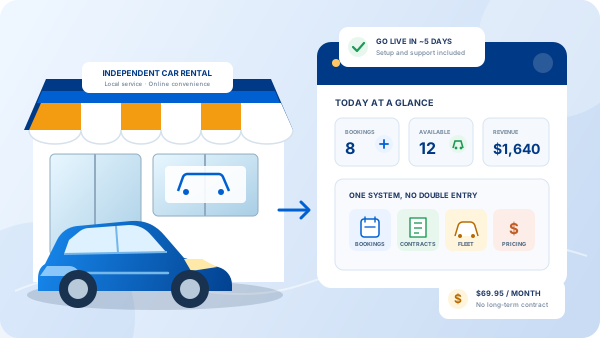
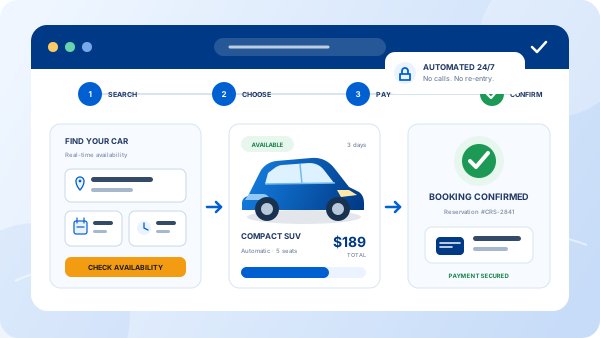
Strip away the vendor vocabulary and booking software does four jobs. It puts a booking engine on your website so customers can check availability, pick a vehicle, and reserve with a deposit — at 11 p.m., in another time zone, while you sleep. It keeps one live availability calendar that every booking, from every channel, is checked against. It stores customer and vehicle records so the third rental takes two minutes, not twenty. And it generates the paperwork — quote, confirmation, rental agreement — from data it already has.
For a small operation the important part is the word one: one calendar, one customer list, one place where a booking either exists or doesn't. Most of the chaos in a manually run rental business is really just the same information living in four places.
The Six Features Worth Paying For at a Small Scale
1. A booking engine on your own website
Not a marketplace listing, not a "call to reserve" form — a real reservation system embedded on a domain you own, where the customer relationship and the booking data are yours and no one takes a commission.
2. Real-time availability with conflict blocking
The calendar must refuse a reservation that overlaps an existing one, automatically, on every channel. This is the feature that pays for the software; if a product merely displays a calendar without enforcing it, keep shopping.
3. Digital rental agreements with e-signature
Customer details should flow straight into a contract the renter can sign electronically before pickup. It saves the counter queue, and it's the difference between a filing cabinet and a searchable record when a dispute surfaces.
4. Payments and deposits online
A reservation without a card behind it is an intention, not a booking. Look for deposit collection at booking time and clear handling of security deposits at pickup and return.
5. Rates that handle seasons
Even a five-car fleet has a high season. Software should let you set seasonal and weekend pricing once, rather than you quoting from memory — and quoting differently depending on who answers the phone.
6. Room to grow without migrating
Multiple languages, a second location, more users. You may not need them today, but switching booking systems mid-season is miserable; choose a platform where the next size up is a settings change, not a migration. That's the thinking behind our plan for small rental businesses — start small on the same platform the multi-location fleets run.
And what can you skip at a small scale? Custom API integrations, loyalty-program modules, and anything sold per-seat to a team of two. Nice problems to have later; wasted budget today.
"A small fleet doesn't need less booking software — it needs the same three or four core features, without the enterprise padding wrapped around them."
Free vs. Paid: The Honest Version
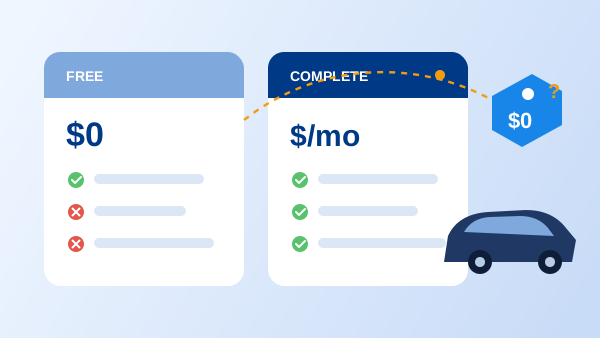
"Free booking software for small business" is one of the most-searched phrases in this category, and the honest answer is that free tiers are marketing funnels: capped vehicles or bookings, no payments or contracts, vendor branding on your checkout. Open-source systems trade the license fee for hosting and maintenance you must staff. We've broken down each option in detail in our guide to free car rental software — the short version is that "free" usually invoices you in hours, limits, or lost bookings.
The exception worth using: a full-featured free trial of commercial software. Two weeks with your real fleet and real rates tells you more than any feature table, and costs the same as the free tier — nothing.
From Notebook to First Online Booking in 5 Steps
-
1
Load your fleet and rates
Enter each vehicle with photos, category, and your base, seasonal, and weekend rates. An afternoon of setup that replaces years of quoting from memory.
-
2
Put the booking engine on your website
Embed the reservation widget on your existing site, or use the platform's built-in website if you don't have one yet. Availability and prices now answer customers for you.
-
3
Set policies, deposits, and your agreement
Define deposit amounts, cancellation rules, and driver requirements, and load your rental agreement template so every booking generates a ready-to-sign contract.
-
4
Run one real booking end to end
Book a car as a customer would: reserve online, pay the deposit, e-sign the agreement, check the calendar blocked the dates. Fix anything that felt confusing — your customers will hit it too.
-
5
Go live and route everything through it
From day one, every booking — walk-in, phone, or web — goes into the system. The single calendar only protects you if it's actually the single calendar.
What Changes in the First Month
Bookings arrive while you're closed
The first late-night reservation is the moment most operators stop questioning the subscription. Your website goes from brochure to sales channel that works weekends and holidays.
Double bookings stop being a risk you manage
They become structurally impossible — one calendar, checked automatically on every reservation. The apology upgrades and emergency sub-rentals disappear with them.
You look bigger than you are
Instant confirmations, professional contracts, online payment — the customer experience of a national brand, delivered by a five-car operation.
Admin shrinks to a dashboard check
Quotes, confirmations, and contracts generate themselves from data entered once. The evenings you spent re-typing customer details come back to you.
You can finally see the business
Which vehicles earn, which sit, which season needs another car — questions a notebook can't answer become a report you glance at.
Frequently Asked Questions
Booking software lets customers reserve your product or service online — for a rental business, that means a booking engine on your website connected to a live availability calendar, so a customer can pick dates, choose a vehicle, and pay a deposit without calling you. Behind the scenes it also keeps customer records, generates rental agreements, and blocks anyone else from booking the same vehicle for the same dates.
Free tiers are usually capped at a handful of bookings or vehicles and strip out payments, contracts, or multi-user access — the features a rental operation depends on. They can work as a short experiment, but most operators outgrow them within months and then face a migration. A full-featured free trial of commercial software is a better test: you evaluate the complete workflow before paying anything.
Entry plans for small rental operations typically run from roughly $50 to $150 per month depending on fleet size and features. The comparison that matters is against what manual booking costs you: one saved double booking or one weekend reservation you would otherwise have missed usually covers the month. Beware of per-booking commissions, which can quietly exceed a flat subscription as you grow.
You need a web page customers can reach, but it doesn't have to be elaborate — a booking engine can be embedded in a simple one-page site, and some rental platforms include a website with the reservation system built in. What matters is that bookings land on a domain you own, not a marketplace that charges commission and owns the customer relationship.
Good systems do both. A multilingual booking engine lets tourists reserve in their own language — a meaningful revenue difference in markets with international visitors — and multi-location support keeps one availability calendar per branch so vehicles and bookings stay separated. Even if you have one location today, choosing software that supports more means you won't migrate when you open the second one.