A Free Reservation System Solves the Budget Problem. It Doesn't Solve the Booking Problem.
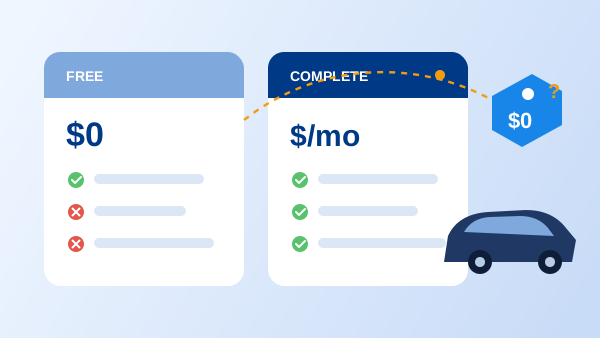
"Free online reservation system" is one of the most-searched terms by anyone starting or running a small rental operation, and for good reason: no monthly bill is a real advantage when you're testing whether online bookings are even worth taking. The catch is what "free" usually means in practice. Most free reservation systems are general-purpose scheduling tools built first for restaurants, salons, and appointment businesses — a car rental operator gets a booking calendar, not a rental system.
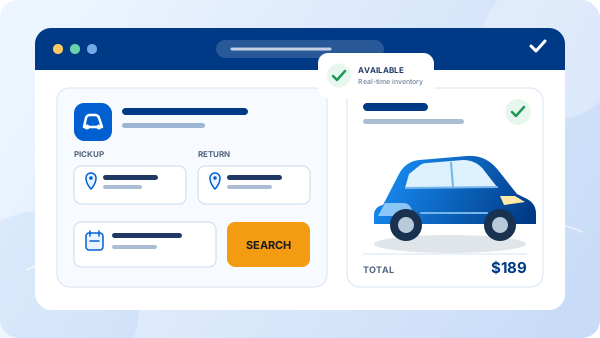
That distinction matters more than it sounds. A restaurant booking tool needs a table and a time slot. A car rental reservation needs a specific vehicle class, a start and end date, mileage or deposit rules, and a path into a signed agreement and payment. Free tools are rarely built around that last part, which is exactly where car rental operators tend to hit a wall. This guide covers what a free plan actually includes, where every one of them stops short, and how to tell when the free-tier detour has already cost more than upgrading would have. For the broader free-tier landscape across car rental management software generally, see our guide to free car rental software — this piece focuses specifically on the reservation and booking layer.
What a Free Online Reservation System Actually Includes
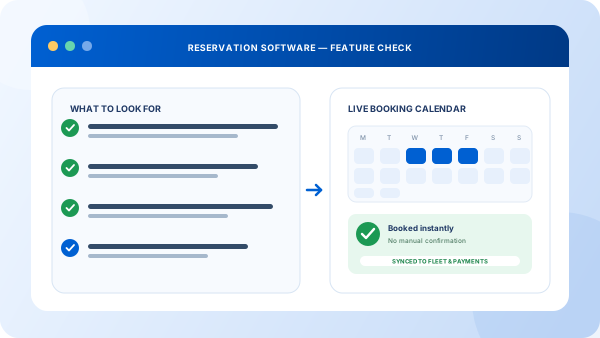
Strip away the marketing and free plans tend to share the same short list: an embeddable booking widget for your website, a single calendar showing what's booked and what's open, basic email confirmations, and light branding control. For a one-vehicle operation just testing demand, that's genuinely enough to stop taking bookings over text message.
What's missing is everything that happens once the booking is made. Rate rules beyond a flat daily price, minimum rental periods, deposits, and per-vehicle-class pricing are usually locked behind a paid plan or absent entirely. The calendar rarely syncs with a second channel like phone bookings your staff enter, which reopens the double-booking risk a real reservation system exists to close. And the booking itself is a dead end — nothing connects it to a signed agreement or a payment, so someone still has to re-type the same details into whatever tool handles those next.
The Five Limits Every Free Plan Shares
1. A monthly booking cap
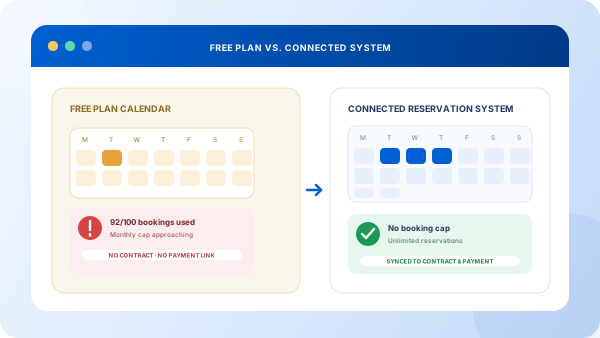
Free tiers exist to convert you to a paid plan eventually, and the mechanism is almost always a cap — commonly somewhere in the range of 50 to 100 bookings a month, though the exact number varies by provider. Growth is the thing that breaks a free plan, not a lack of features.
2. One calendar, one channel
The free booking widget updates its own calendar. Phone reservations your staff take, or listings on a second channel, usually don't write to that same calendar in real time. That gap is where double bookings come from — see how a connected availability calendar is supposed to close it.
3. No rate or rule logic
Seasonal pricing, weekend rates, minimum rental periods, and deposits typically aren't configurable on a free plan. You either charge one flat rate for everything or manage pricing outside the tool, which defeats the point of taking bookings online in the first place.
4. No path to a contract or payment
A confirmed booking on a free plan is just a calendar entry. Turning it into a signed rental agreement and a charged payment is a separate, manual step — the exact re-entry that a connected reservation system is built to remove.
5. No reporting beyond the calendar view
Which vehicle class books out first, which channel drives the most reservations, how far ahead people book — a free plan won't answer any of that. You're limited to scrolling the calendar and counting by hand.
"A free reservation system answers 'can I take a booking online.' It was never built to answer 'can I run my rental business on this' — and conflating the two is where the real cost shows up."
How to Stress-Test a Free Reservation Tool Before You Commit
-
1
Find the booking cap in writing
Read the pricing page, not just the sign-up flow. Most providers state the monthly booking or reservation limit clearly once you look for it — know the number before you build a workflow around the tool.
-
2
Test a double booking on purpose
Book the same vehicle from the website widget, then try to book it again as if you were a staff member taking a phone reservation. If the second booking goes through, the calendar isn't actually shared.
-
3
Trace what happens after a booking is confirmed
Follow one reservation to the end. Does anything happen automatically, or does someone need to open a separate tool to generate a contract and take payment? Count the manual steps.
-
4
Add a second vehicle class or location
Try to represent your actual fleet, not just one car. Many free plans reveal their single-location, single-class design the moment you attempt this.
-
5
Add up the real monthly cost
Estimate the hours spent re-entering bookings into contracts and payment tools, plus the revenue risk from even one missed double booking. Compare that total to a paid plan or a free trial of a connected system.
What Changes When You Move Beyond Free
Bookings stop hitting a wall at 100 a month
Reservation volume becomes a growth signal instead of a limit you have to watch and plan around.
Every channel reads and writes one calendar
Website, phone, and counter bookings all update the same live calendar, closing the gap where double bookings happen.
A booking becomes a contract and a payment automatically
The reservation record carries straight through, removing the manual re-entry a free tool leaves for someone on your team to handle.
Rate rules match how you actually price
Seasonal rates, minimum rental periods, deposits, and per-class pricing live in the system instead of a workaround spreadsheet.
You can finally add a second location or vehicle class cleanly
Growth means adding rows to one system, not managing a second free account or a manual process on the side.
If the free tier is straining, the next step is usually not a bigger calendar but a full system. See what car rental software for small agencies covers beyond the booking screen.
Frequently Asked Questions
It's a booking tool, usually a general-purpose scheduling or reservation platform, offered at no cost, typically with a single-location calendar, a basic booking widget, and a cap on how many reservations or bookings you can take per month. Most free reservation systems are built for restaurants, salons, or appointment-based businesses first, so car-rental-specific needs like vehicle classes, rate rules, and contract handoff are usually missing or bolted on.
For a single vehicle or a very small side operation, a free plan can cover basic scheduling. Past that, most rental operators hit the same wall: no shared calendar across phone and counter bookings, no seasonal or per-class rate rules, and no connection to a rental agreement or payment. The booking gets taken, but everything after the booking still happens manually.
A free reservation system is a permanently free, capped tier of a general booking tool. A free trial is time-limited full access to a car-rental-specific reservation platform, including the fleet, contract, and payment features a free-forever tier leaves out. A free trial shows you what the software looks like once you actually need it to run your whole operation, not just take a booking.
The signals are consistent: you're re-entering the same booking into a contract or payment tool by hand, you've had a double booking because phone and website reservations don't share one calendar, you're bumping against a monthly booking cap, or you've added a second vehicle class or location the free tool can't represent. Any one of these usually means the manual workarounds already cost more than a paid plan would.
Paid platforms that include reservations, fleet, and contract handling typically scale with fleet size, commonly landing between $50 and a few hundred dollars per month. Compare that against the real cost of a free plan's workarounds, including staff time spent re-entering bookings and the revenue lost to any double booking, not just the sticker price of either option.