Every Reservation Product Says It Prevents Double Bookings. Most Don't, Fully.
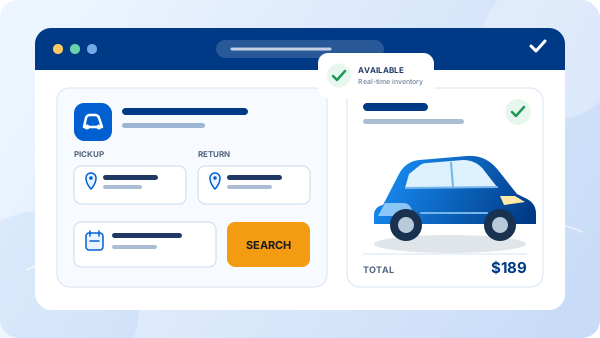
Search "car rental reservation software" and every result promises real-time availability and zero double bookings. Then you demo three products and find the same gap in each: the website booking form updates one calendar, but a phone reservation your staff enters updates a different one, and the two sync every few minutes instead of instantly. The double booking still happens — it just happens less often, which is a worse problem to diagnose than an obvious one.
This guide is about evaluating reservation software rather than defining it — if you want the plain explainer first, see what a car rental reservation system is. Here, the focus is what separates software that genuinely runs on one shared calendar from software that only looks like it does in a sales demo.
What Reservation Software Actually Needs to Do
Strip away the marketing language and reservation software has one job: hold a single, live availability calendar that every booking channel reads from and writes to, and turn a confirmed booking into a reservation record that carries through to the contract and payment. Everything else — the design of the booking widget, the loyalty add-ons, the dashboard charts — is secondary to that one job.
That's also where products diverge the most. A polished booking engine on your homepage means little if it isn't reading live from the same calendar your staff uses at the counter or over the phone. Before comparing features, ask any vendor directly: is the customer-facing booking widget and the internal availability calendar the same system, or two systems kept in sync? The honest answer to that question tells you more than a features list will.
The Five Features That Matter (and Two That Are Just Polish)
1. One real-time availability calendar, not a synced pair
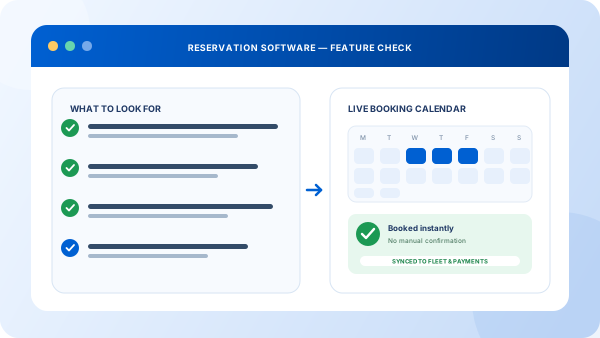
Every channel — website, phone bookings your staff enters, any third-party listing — needs to read and write the same calendar in real time. Sync intervals, even five-minute ones, leave a window where the same car can be booked twice.
2. Flexible rate and rule logic
Seasonal pricing, minimum rental periods, deposits, and per-vehicle-class rates all need to live in the system, not in a spreadsheet someone checks before confirming a quote. If pricing changes require a support ticket to your vendor, it will hold you back at the moment you most need to react.
3. Automatic conflict prevention, not conflict warnings
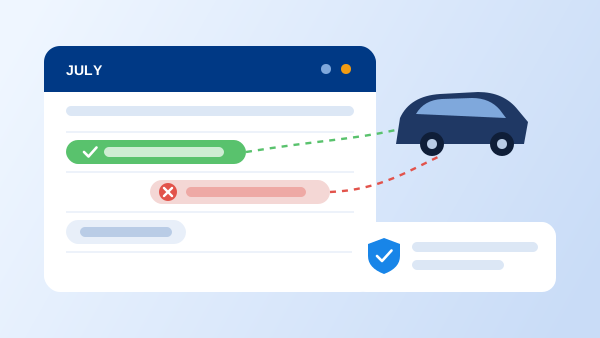
The system should make an already-booked vehicle simply unavailable to select — not bookable with a warning that staff can click past under pressure. A warning is not a safeguard; it's a delay before the same mistake happens anyway.
4. A reservation record that flows into the contract and payment
Once a booking is confirmed, the renter's details, dates, and vehicle should carry straight into the rental agreement and payment step without re-entry. If your team retypes the same booking into a separate contract tool, the reservation system isn't actually connected to the rest of your operation — see our take on how a full management system connects these pieces.
5. Reporting by vehicle class and channel
Which classes book out first, which channel drives the most reservations, and how far in advance customers typically book — this data should be a report you run, not a manual tally from the calendar view.
And the two that matter less than vendors make them sound: calendar visual design and built-in loyalty or rewards widgets. A calendar that looks clean in a sales demo doesn't tell you whether it's genuinely one system across channels, and loyalty features are worth evaluating only after the core booking logic is solid — bolting them onto a calendar that still double-books doesn't fix anything.
"The question that matters in a reservation software demo isn't 'can I see the calendar' — it's 'what happens the instant two people try to book the same car at the same time.'"
Reservation System, Booking Engine, or Full Management Software?
These terms get used almost interchangeably in vendor marketing, but they describe different layers. A booking engine is typically the customer-facing widget — the search, select, and pay flow on your website. The reservation system is the calendar and rules engine underneath it that the booking engine reads from. Management software is broader still, wrapping reservations together with fleet, contracts, and payments into one platform.
The practical implication: buying "a booking engine" alone can leave you with a nice widget sitting on top of a calendar that isn't connected to your counter operations. Our own reservation system is built as one calendar shared by the website, staff bookings, and the fleet record — which is the model worth insisting on regardless of which vendor you evaluate.
Evaluating a Platform in 5 Steps
-
1
Ask for a live double-booking test in the demo
Have the vendor book the same vehicle from the website and from the staff dashboard at the same time. Watch what actually blocks the second booking — a real system prevents it instantly, not eventually.
-
2
Trace one reservation end to end
Follow a single booking from confirmation through contract generation to payment. Count how many times the same customer data gets re-typed along the way — it should be zero.
-
3
Test the rate rules with a real scenario
Set up a seasonal rate change or a minimum three-day rental rule yourself, without vendor support on the call, and see how long it takes.
-
4
Migrate a small slice of live bookings first
Run one location or one vehicle class on the new system for two weeks before switching everything over, so a calendar gap surfaces on a small scale instead of a busy weekend.
-
5
Review the booking-by-channel report after 30 days
Once real bookings are flowing, check the report against what you expected — mismatches usually point to a channel that isn't actually reading the shared calendar.
What Changes With Reservation Software That Actually Works
Double bookings stop being a recurring apology
One calendar across every channel means the awkward call — "we're so sorry, that car isn't actually available" — becomes rare instead of routine.
Staff stop re-entering the same booking three times
A reservation that flows into the contract and payment automatically removes the data entry that eats up counter time during a rush.
Rate changes happen the same day, not next week
When pricing rules live in the system instead of a spreadsheet, a seasonal adjustment goes live as soon as you decide to make it.
You can see which channel actually drives bookings
Reporting by channel replaces guessing whether the website or the phone line brings in more reservations.
Growth doesn't multiply your admin work
Adding a location or a vehicle class means adding rows to one calendar, not reconciling two or three systems that don't talk to each other.
Reservations are the front door, not the whole building. When you are ready to run agreements, fleet, and rates on the same system, that is the job of complete rent a car software.
Frequently Asked Questions
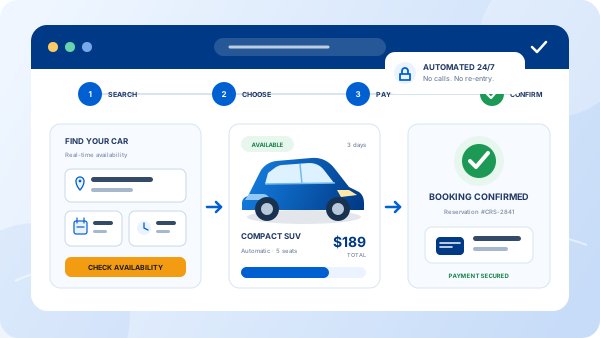
It's the system that lets customers check real-time availability, choose a vehicle, and book online, while updating one shared calendar so the same car can never be sold twice. The reservation record then carries through to the contract, payment, and check-out — it isn't just a booking form, it's the system of record for every rental.
They overlap but aren't identical. A booking engine is usually the customer-facing widget — the search-and-pay flow embedded on your website. Reservation software is the broader system behind it: the availability calendar, rate rules, and reservation record that the booking engine reads from and writes to. Some products bundle both under one name; when evaluating vendors, ask specifically whether the booking engine and the back-office calendar are the same system or two connected ones.
Yes, if the availability calendar is the single source of truth for every channel — website, phone bookings entered by staff, and any third-party listing. Double bookings almost always come from two calendars being updated separately rather than one shared calendar being read by every channel. This is the first thing to verify in a demo, not something to take on faith from a features list.
Real-time shared availability, rate and rule flexibility (seasonal pricing, minimum rental periods, deposits), automatic conflict prevention, integration with contracts and payment, and reporting on bookings by vehicle class and channel. Calendar-view polish and marketing extras like loyalty widgets matter far less than whether the calendar is genuinely one system across every booking channel.
Standalone booking widgets can run relatively cheap but often don't include fleet, contract, or payment integration, so you end up paying for connector tools or manual data entry to bridge the gaps. Full rental management platforms that include reservations typically scale by fleet size, commonly landing between $50 and a few hundred dollars per month. Compare total cost including any integration work, not just the sticker price of the booking widget.