The Month-End Problem
Ask a rental operator where their accounting lives and the honest answer is usually "in three places." The reservations and charges are in the rental system. The invoices that actually went to corporate accounts are in a spreadsheet. The books are in QuickBooks or Xero, updated by whoever has time on the first weekend of the month.
The seams show at close. Deposits that were never released still look like income. A damage charge added at check-in never made it onto the invoice. Tax collected in two counties sits in one bucket. Someone spends a Saturday matching card settlements against rental agreements, line by line, to find a $180 difference.
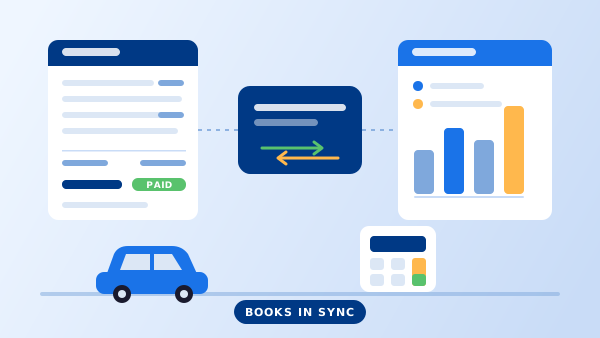
None of that is an accounting problem. It is a data problem: the money facts were created at the counter and then re-typed somewhere else. This guide covers what "car rental accounting software" actually means in practice, which parts of the job belong inside your rental platform, which stay in your ledger, and how to connect the two so month-end stops being an event.
What "Car Rental Accounting Software" Actually Means
The phrase gets used for two different things, and buying the wrong one is expensive.
The first is rental billing: everything that turns a reservation into money owed and money received. Rate calculation, extras and add-ons, mileage and fuel charges, taxes and airport or location surcharges, deposits, the invoice, the receipt, the refund. This is rental-specific work and it belongs inside your car rental software, next to the reservation and the agreement, because that is where the facts are created.
The second is bookkeeping: the chart of accounts, payroll, vehicle depreciation, floor-plan or loan interest, bank reconciliation, and the financial statements your accountant files. That is general-purpose work, it is regulated, and it is already solved well by QuickBooks, Xero, Sage, or your local equivalent.
When an operator searches for car rental accounting software, they almost always need the first thing plus a clean connection to the second — not a rental-flavoured replacement for their ledger. If you are still mapping out what the platform side covers overall, the guide to what a car rental management system is lays out the full scope.
Seven Things the Rental Platform Should Handle Itself
1. Charges that compute from the agreement, not from memory
Base rate, seasonal adjustment, mileage overage, late-return hours, fuel difference, and each add-on should be calculated by the system from the rate plan and the check-in readings. If a counter agent is typing a total into a box, the number will eventually be wrong and there will be no audit trail explaining why.
2. Tax and surcharges by jurisdiction
Rental tax is rarely one rate. State or national VAT, county or city rental tax, vehicle licensing recovery fees, airport concession recovery, and environmental fees can all apply to the same rental, each with its own base and its own remittance schedule. The platform should hold these as named, per-location components, show them separately on the invoice, and report the total collected per jurisdiction per period.
3. Deposits tracked as liabilities, not income
A held deposit is money that belongs to the customer until you have a reason to keep part of it. The system should authorize or capture it as its own transaction, show its status on the reservation, release it automatically on a clean return, and create a separate, reasoned record when it is applied. Deposits that quietly land in the revenue column are the single most common cause of rental books that do not tie out.
4. Post-rental charges that reopen the invoice properly
Traffic tickets, tolls, cleaning, and damage discovered after the customer has gone need to attach to the original rental, generate a supplementary invoice with its own number, and follow the same tax rules. Emailing someone "you owe us $140" is not an accounting record.
5. Corporate accounts, terms, and aging
Not every renter pays at the counter. Corporate, insurance-replacement, and dealership accounts rent on terms and get billed monthly. The platform needs customer-level accounts with credit limits and payment terms, consolidated statements across many rentals, and an aging report that tells you who is 30, 60, and 90 days late without a spreadsheet.
6. Payments reconciled to settlements
A card charge on Tuesday arrives in your bank on Thursday, net of fees, batched with forty others. Payment records should carry the processor reference and settlement date so a deposit in the bank can be matched to the rentals inside it. This is what turns bank reconciliation from archaeology into a checkbox.
7. Refunds and adjustments with a reason attached
Every discount, waiver, write-off, and refund should require a reason code and record who approved it. That is partly control and partly insight — "goodwill adjustments" rising quarter over quarter is a signal you want to see.
"If a number has to be typed twice, it will eventually exist in two versions — and you will find out at month-end."
How to Connect Rental Billing to Your Ledger in 5 Steps
-
1
Write down every way money moves
Rental revenue, each add-on category, each tax and surcharge, deposits held, deposits applied, refunds, and processor fees. This list is short — usually fifteen to twenty five lines — and it is the foundation for everything that follows.
-
2
Map each one to an account in your chart of accounts
Do this with your accountant, once. Deposits held map to a liability account, not revenue. Taxes collected map to a payable, not income. Add-ons can roll up to one revenue account or split by category depending on how much detail you want in your P&L.
-
3
Configure the rental platform to match that map
Name the charge types and tax components in the system exactly as they appear in your mapping. Set them per location if rates differ between branches. Then run a handful of test rentals — one cash, one card, one corporate, one with a deposit partly applied — and check each produces the entries you expect.
-
4
Pick your handoff method and set its cadence
A monthly CSV export is fine at low volume. A summary journal entry per period suits operators who want totals rather than every invoice in the ledger. Higher-volume fleets push each closed rental through the rental API so the books stay current without anyone exporting anything.
-
5
Close one month in parallel before you trust it
Run the new flow and your old process side by side for a single period and reconcile the difference to zero. Whatever does not match is a mapping error you want to find now, not in a year when it has compounded.
Where to Draw the Line
A simple test settles most arguments about which system should do what: does the fact originate from a rental? If yes, the rental platform owns it. If no, the ledger owns it.
Rental-owned: what was rented and for how long, the rate applied, extras taken, mileage and fuel at return, tax by jurisdiction, deposit held and its fate, who paid and how, what is still outstanding on a corporate account, and any adjustment with its reason.
Ledger-owned: vehicle purchase, depreciation, and disposal; loan and floor-plan interest; insurance premiums; rent, utilities, and payroll; bank reconciliation; and the profit and loss, balance sheet, and tax filings built from all of it.
Two areas sit on the line and are worth deciding deliberately. Vehicle cost per unit — depreciation and maintenance spend allocated to individual cars — lives in the ledger, but the utilization and revenue figures it needs come from your fleet management software; pulling revenue per unit from one and cost per unit from the other is how you find out which vehicles actually earn. And the contract itself is the source document behind every charge, so keeping signed agreements retrievable from the rental record — see rental agreement software — is what makes a charge defensible if a customer disputes it months later.
What Changes When Billing Lives With the Reservation
Month-end becomes a report, not a project
Revenue, tax, deposits, and aging are already computed. Closing the month means reviewing numbers rather than assembling them.
Disputes get resolved in a minute
A customer questions a charge from six weeks ago; the agreement, the check-in readings, the photos, and the invoice line are all on the same record.
Tax remittance stops being a guess
Each jurisdiction's collected total is a report, which matters more the moment you operate in a second city or open a second branch across a tax line.
Corporate accounts get billed on time
Consolidated monthly statements go out automatically and the aging report shows exactly who to chase, which is usually worth more in recovered cash than the software costs.
Your accountant's questions shrink
Deposits sit in a liability account, taxes in a payable, and adjustments carry reasons — so the annual review stops starting with "what is this number?"
You can price with real data
Revenue per vehicle class net of discounts and waivers is a number you can act on, which is where dynamic pricing starts being safe rather than speculative.
Frequently Asked Questions
Usually not, and it should not be. What operators call car rental accounting software is the billing side of a rental management platform: rate calculation, taxes and surcharges, deposits, extra charges at check-in, invoices, receipts, and revenue reporting. That work has to happen where the reservation lives. A general ledger package like QuickBooks or Xero then receives the results as journal entries or invoices. Buying a second rental-specific accounting product on top of your platform normally means re-keying the same rentals twice.
No. The rental platform owns the transaction — what the customer rented, what they were charged, what they paid, and what is still owed. The accounting package owns the books — chart of accounts, payroll, vehicle depreciation, loans and floor-plan financing, bank reconciliation, and the statements your accountant and tax authority need. The goal is a clean handoff between the two, not replacing one with the other.
A security deposit is not revenue. It is money you are holding, and it should be recorded as a liability until it is released or applied. Rental software should authorize or capture the deposit separately from the rental charge, track its status per reservation, release it automatically on a clean return, and create a distinct record when part of it is applied to damage, fuel, or a late return. Deposits mixed into rental income are one of the most common reasons month-end numbers do not tie out.
At minimum: revenue by period, location, and vehicle class; tax and surcharge collected by jurisdiction; outstanding balances and aging by customer or corporate account; deposits held and released; payments by method with settlement dates; and refunds and adjustments with a reason on each one. Those six give you a defensible month-end close and answer the questions an accountant asks before they ask them.
Three ways, in increasing order of effort and reliability. A periodic export — a CSV of invoices and payments imported into your ledger, usually monthly. A scheduled summary journal entry that posts totals by account rather than individual invoices. Or an API connection that pushes each closed rental as it happens, which is what most operators move to once volume makes manual exports painful. The right choice depends on transaction volume and how often you need the books current.