
Export Customers from Online Reservations
Build an email list from customers who submitted a reservation on your website. Use the exported data to run targeted campaigns, improve retention, and drive repeat bookings.
Export Customers Overview
Email marketing is one of the most cost-effective ways for car rental businesses to stay top-of-mind and increase repeat bookings. Using Export Customers, you can pull customer emails from online reservations and upload them to your email platform for segmented campaigns.
Key Benefits
- Customer retention: stay in touch with past renters and encourage repeat rentals.
- Higher engagement: send relevant, timely messages tied to travel dates and locations.
- Revenue growth: promote upgrades and extras (GPS, child seats, premium vehicles).
- Feedback & reviews: use post-rental emails to gather reviews and improve operations.
- Brand building: consistent communication keeps your agency recognizable and trusted.
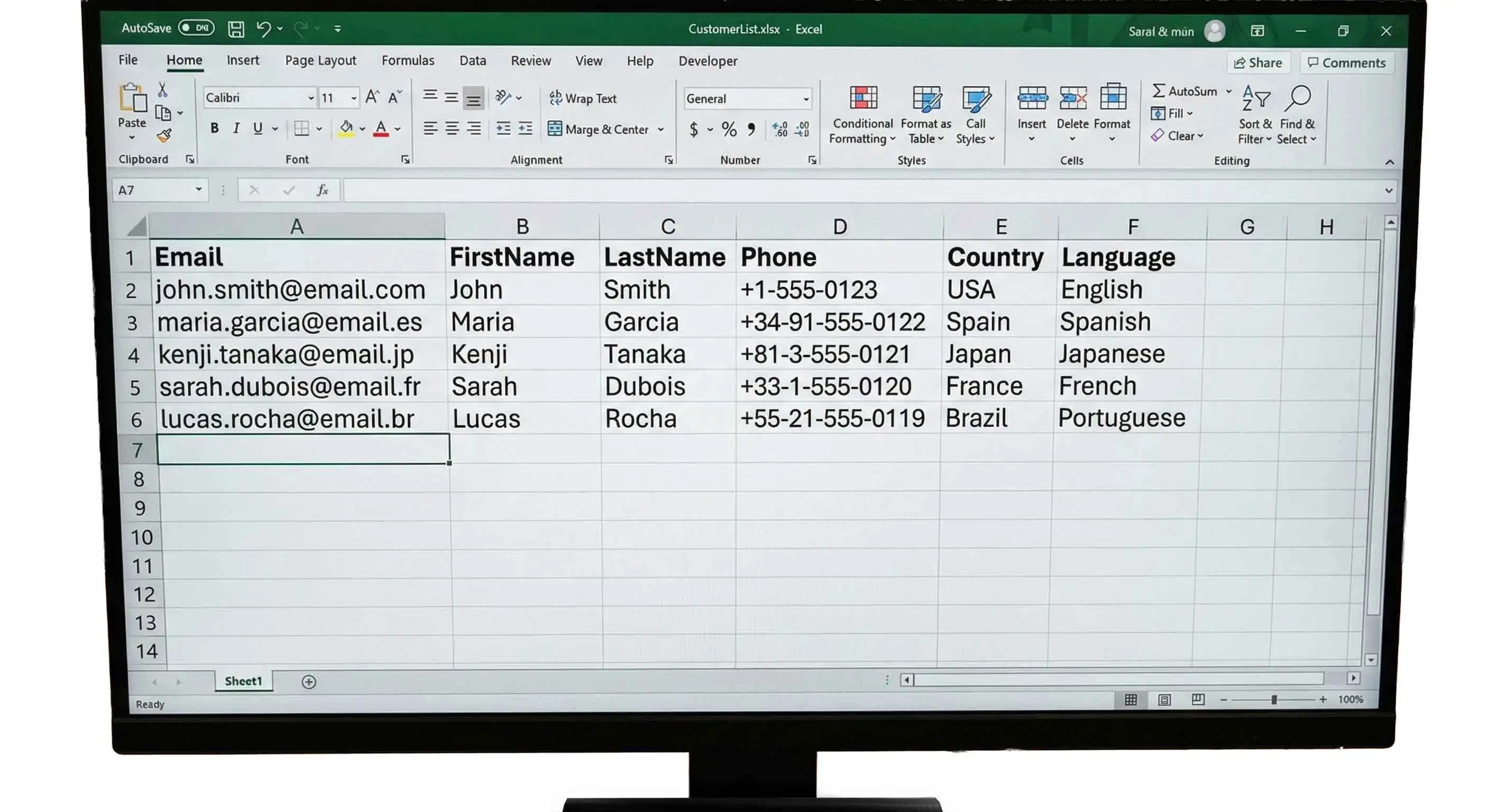
Export Customers includes customers who submitted online reservations (even if they did not convert to a contract). To market only to completed rentals, use Export Renters.
Segmentation Ideas Using Reservation Data
Better segmentation = more relevant emails = more bookings. Reservation data gives you multiple ways to target the right message to the right customer.
Rental History
Target frequent renters with loyalty-style offers, and re-engage customers who haven’t booked in months.
Vehicle Preference
Send upgrades and promos based on what they usually rent: economy, SUV, luxury, van, etc.
Location & Booking Behavior
Run location-based offers and time campaigns for early-bookers vs last-minute renters.
Email Campaign Types That Work for Car Rental Agencies
Use automated sequences for consistent results, and add occasional promos to drive demand during slower dates.
a) Pre-Arrival / Confirmation
- Reservation confirmation, pickup instructions, required documents, FAQs
- Upsells: premium upgrades, GPS, child seats, coverage options, roadside assistance
b) Mid-Rental Check-in (for longer rentals)
- Quick “How’s it going?” message, assistance offer, return reminders
c) Post-Rental Follow-up
- Thank-you email, review request, survey, next-rental offer
d) Re-engagement
- “We miss you” offer, new fleet highlights, destination-based promos
e) Seasonal & Special Offers
- Weekend deals, holidays, early-bird discounts, long-term rental specials, loyalty offers
Implementation Checklist
- Export: download your customer list from Export Customers.
- Import: upload to your email platform and map fields.
- Segment: build groups by location, vehicle type, and booking behavior.
- Templates: create mobile-friendly email templates for each campaign.
- Automation: set up pre-arrival, post-rental, and re-engagement sequences.
- A/B testing: test subject lines and CTAs to improve conversion.
- Monitor: track opens, clicks, and bookings to refine campaigns.
Book a demo and we’ll show how Marketing exports work with promotions and reporting.
Export Customers FAQ
Quick answers about exporting customer emails from online reservations.
- Who is included in Export Customers?
- Customers who made a reservation on the website. This is ideal for follow-ups, promotions, and re-engagement campaigns.
- How is Export Customers different from Export Renters?
- Export Customers is reservation-based. Export Renters is contract-based (customers whose reservations converted into rentals).
- What should I do after I export the list?
- Import it into your email marketing platform, create segments, and build automated sequences like pre-arrival and post-rental follow-ups.
- What campaigns usually perform best?
- Pre-arrival upsells, post-rental review requests, and re-engagement offers tend to produce consistent results for car rental agencies.
- What format is the export file, and how do I open it?
- When you click Export, the system generates a .txt file that you can upload or import into Excel.