
Why Most Rental Operators Pick the Wrong Software
The car rental software market is crowded, confusing, and full of platforms that look similar on a demo but fall apart the moment you try to run a real operation with them. Some are built for large franchises and are massively overbuilt for independent operators. Others are general-purpose rental tools that don't understand the specific workflows of vehicle rental — damage documentation, fleet availability by vehicle type, driver's license verification, daily rate logic. And some are simply outdated systems with a new interface slapped on top.
The result: rental operators spend months on software that doesn't fit, then face a painful migration to something better. The right framework for choosing car rental software isn't complicated, but most buyers skip it because they're in a hurry to solve a problem. This guide will save you that mistake.
Here are the 7 must-have features to evaluate — and the red flags that tell you to walk away.
1. Real-Time Availability & Online Booking
This is the non-negotiable. If your software can't show customers what vehicles are available right now and let them reserve one instantly — without calling you — you're leaving revenue on the table every single day. Online booking isn't a nice-to-have for rental businesses anymore. It's the price of entry.
What to evaluate: Does the availability calendar update in real time when a booking is made? Can customers book from a phone as easily as a desktop? Can you embed the booking widget on your own website, or does the customer have to leave your site to complete the reservation? Can you block dates for maintenance without creating a fake booking?
Red flag: Any platform that still requires you to manually confirm bookings before they're committed. That workflow belongs to 2005.
2. Fleet Management & Vehicle Status Tracking
Your software needs to know where every vehicle stands at all times: available, rented, in maintenance, reserved. If you have to check a whiteboard or a separate spreadsheet to answer the question "which cars can go out today?", your software is not doing its job.
Beyond status, fleet management means tracking mileage, flagging vehicles due for service, and maintaining a service history log. An operator running 15 vehicles who can pull up any car's full maintenance record in 10 seconds is running a fundamentally different business than one who keeps service records in a physical folder.
Red flag: Software that treats your fleet as a flat list of items rather than individual vehicles with history, documents, and maintenance cycles.
3. Digital Agreements & E-Signatures
Paper rental agreements are a liability in every sense of the word. They get lost, altered, and are nearly impossible to enforce when a dispute arises months later. Digital rental agreements with e-signature create a timestamped, tamper-evident contract that both parties sign before the keys change hands — and that you can retrieve in seconds, from anywhere, any time.
What to look for: Can you customize the agreement template with your own terms? Does the customer sign on their device at pickup, or do they sign remotely in advance? Are signed copies automatically emailed to both parties? Is the signature process fast enough that it doesn't create a line at your counter?
Red flag: Software that offers "agreements" as a PDF download you print out. That's not a digital workflow — that's a PDF printer.
4. Flexible Pricing & Rate Management
Car rental pricing is not simple. You need daily rates, weekly rates, weekend rates, and possibly season-based pricing. You need the ability to create discount codes for repeat customers. You may need to charge different rates for different vehicle categories. And you need all of this to work automatically without you manually adjusting prices for each booking.
The best platforms let you configure pricing rules once and then apply them automatically based on rental duration, vehicle category, and booking date. See how Car Rental Solutions handles pricing and plan features to understand what a well-built pricing system looks like in practice.
Red flag: Software with a single daily rate per vehicle and no support for weekly rates, promotions, or category-level pricing.
5. Customer & Reservation Management
Every customer interaction — past rentals, payment history, driver's license on file, notes from previous issues — should live in one place and be accessible from the reservation screen. When a returning customer calls to book, you should be able to pull up their full history in seconds, not search through multiple systems.
Reservation management means more than just booking storage. It means being able to modify a reservation mid-rental, extend a booking, process an early return, split charges, and apply a damage deposit — all without leaving the platform or doing math on a calculator.
"The best car rental software is invisible — it handles complexity in the background so your staff can focus entirely on the customer in front of them."
6. Damage Tracking & Inspection Workflows
Damage disputes are one of the most costly operational problems in car rental. Without documented, timestamped evidence of vehicle condition at both pickup and return, you have no recourse when a customer denies responsibility for damage they returned with. Digital vehicle inspections solve this problem entirely — but only if they're built into your rental workflow, not a separate tool you have to remember to open.
Look for software that makes the pre-rental and post-rental inspection a required step in the workflow — not optional, not a workaround — with photo capture attached directly to the rental record.
Red flag: Any platform that has no inspection module, or where inspections are a separate bolt-on product you pay extra for.
7. Reporting & Business Visibility
If you can't measure it, you can't manage it. Your software should be able to answer, in under a minute: What's my fleet utilization rate this month? Which vehicle is generating the most revenue? What's my average booking value? How many bookings did I have last quarter vs. this quarter? Which customers haven't rented in 90 days?
These aren't complex analytics questions — they're basic operational metrics that every rental business needs to grow. Software that buries this data or requires a manual export to a spreadsheet to analyze is software that's working against you.
How to Evaluate Car Rental Software in 5 Steps
Don't buy based on a polished demo. Use this process to find out what the software actually does under real operating conditions:
-
1
List your 5 biggest operational pain points today
Before you look at any software, write down the five things that cost you the most time or money right now. Double bookings, damage disputes, slow check-in, lost agreements, manual pricing — whatever they are. The right software should address at least three of them directly.
-
2
Request a live demo with your actual scenarios
Don't let a sales rep run through their standard script. Ask them to show you a specific workflow: "Show me what happens when a customer returns a car early and we need to issue a partial refund." "Show me how I'd handle a damage dispute from three weeks ago." Real scenarios reveal gaps that polished demos hide.
-
3
Run a free trial with real bookings
Every credible platform offers a free trial. Use it with real or simulated bookings — not just a click around the UI. Put a real vehicle in, make a booking, process a return, run a report. The friction you feel in this process is the friction your staff will feel every day.
-
4
Test the support
Send a support ticket before you buy. Note how long it takes to get a real response and whether the answer is useful. Support quality during the sales process is typically the best you'll ever experience — if it's slow or unhelpful now, it will only get worse after you're locked in.
-
5
Check the pricing structure for hidden costs
Monthly fee, per-booking fee, onboarding fee, migration fee, extra-user fee — add up the total cost of ownership at your actual booking volume. Some platforms look cheap at the base price and become expensive the moment you're actually using them at scale.
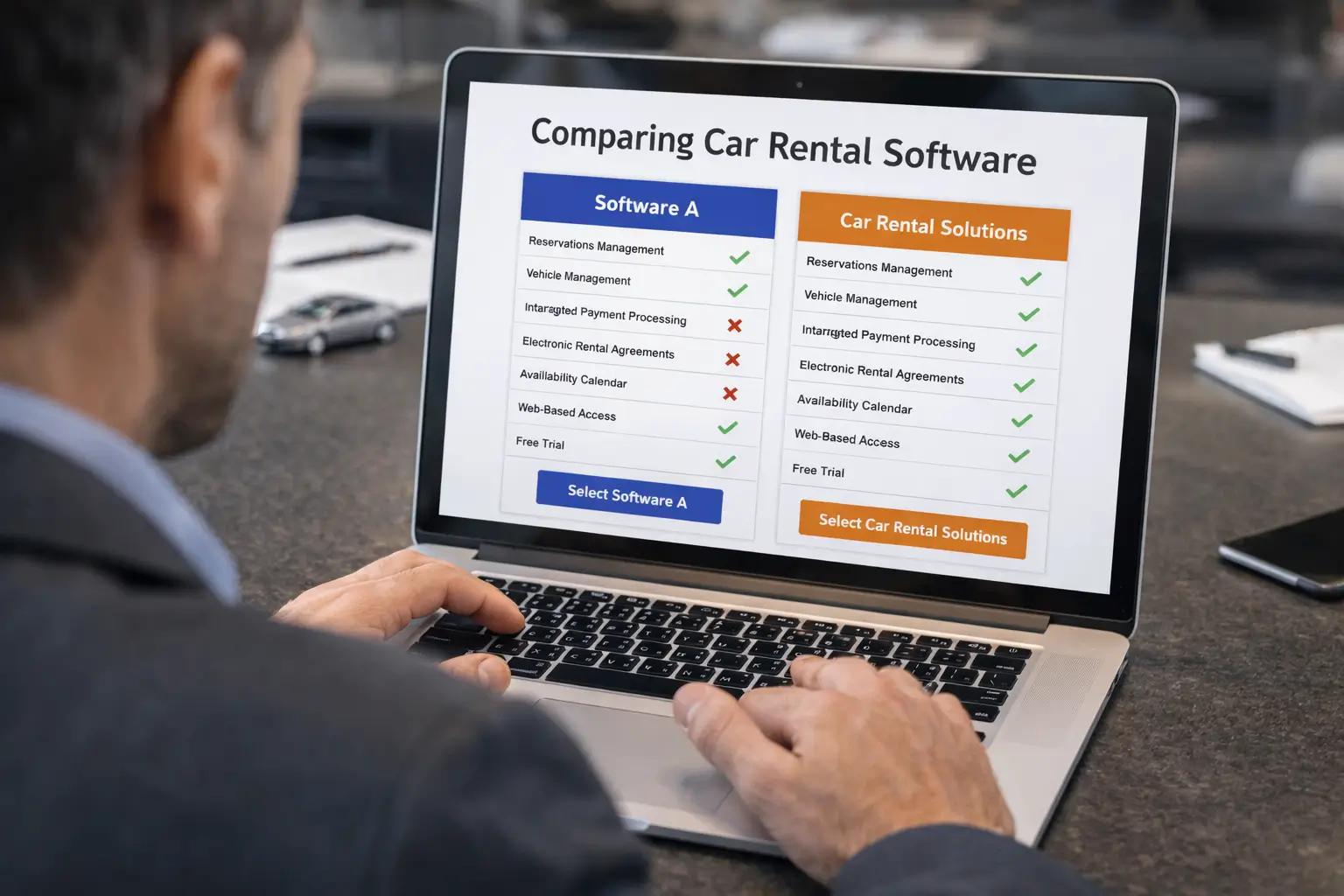
Here's how Car Rental Solutions measures against the 7 must-have criteria:
What the Right Software Changes
You stop losing bookings to missed calls and manual confirmations
Online booking that doesn't require your involvement captures reservations at 11 PM, on weekends, and while you're handling another customer. Every booking your current process misses is revenue going to a competitor.
Your staff spends time on customers, not paperwork
Check-in with a pre-filled digital agreement and e-signature takes under two minutes. Paper contracts, manual data entry, and hunting for a printer take 10–15. At scale, that difference is hours of labor per day redirected from admin to service.
Damage disputes become fast and winnable
Timestamped inspection records with photos attached to every rental mean disputes end quickly and in your favor. The customer who previously could deny any damage now faces a clear photographic record from both pickup and return.
You can see your business clearly and make better decisions
When you know your utilization rate, your best-performing vehicle, and your booking trends in real time, you make better decisions about pricing, fleet expansion, and marketing — instead of operating on gut feel and month-old numbers.
Growth doesn't create more chaos
The right software scales with you. Adding vehicles, locations, or staff doesn't require rebuilding your process — it just means more bookings flowing through the same system. The operators who grow fastest are the ones whose operational foundation was built to handle growth.
Frequently Asked Questions
Real-time availability and online booking are the most critical features. If your software can't show customers what's available and let them book instantly, you're losing revenue to competitors who can. Everything else — agreements, inspections, payments — supports the booking, but the booking is the core transaction your software must handle reliably.
Car rental software typically ranges from $69.95 to $179.95 per month depending on fleet size, features included, and the number of users. Most platforms charge either a flat monthly fee or a per-booking fee. Be cautious of platforms that charge both. Car Rental Solutions offers transparent pricing based on your fleet size with no per-booking fees.
Most reputable car rental software providers offer data migration support or import tools. Before signing up, confirm exactly what data can be imported (customer records, vehicle history, past bookings) and whether migration is included in onboarding or costs extra. A platform that makes migration difficult is a red flag for future lock-in.
Yes — in fact, small fleets benefit the most from software because every available vehicle-day matters. A 5-car operation that loses one booking per week to a manual process is losing 20% of its weekly capacity. Software pays for itself quickly even at small scale by reducing missed bookings, cutting admin time, and enabling online reservations.
Watch for: no free trial or demo, per-booking fees on top of monthly fees, agreements locked to their templates with no customization, no mobile access, poor or slow customer support, and platforms that can't show you a clear roadmap. Also be wary of software built for a different industry (general rentals, equipment rentals) that claims to work for car rentals — the workflows are different enough that critical features are usually missing.